
Ford FDRS vs IDS: What Each Software Does, Which Vehicles It Covers, Licence and VCM
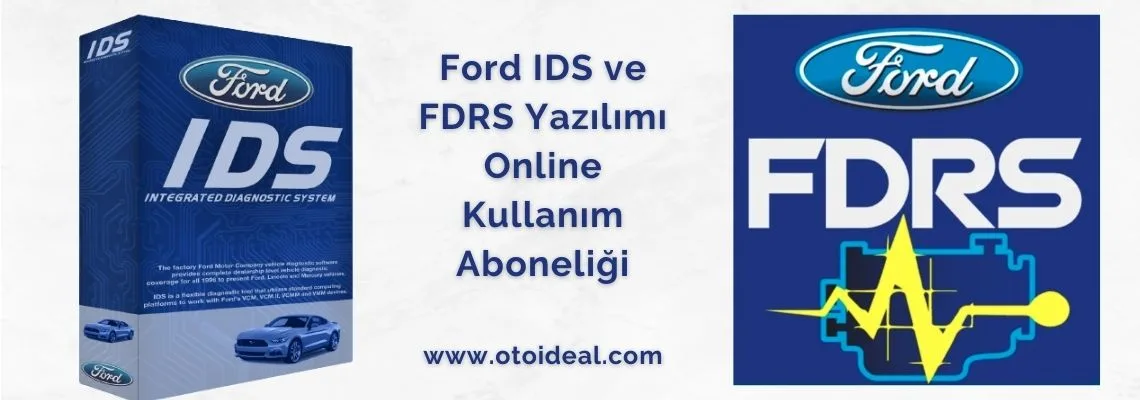
Ford FDRS vs IDS: What Each Software Does, Which Vehicles It Covers, Licence and VCM
On this page
- What is Ford IDS, and what is FDRS?
- IDS vs FDRS: which vehicle uses which?
- How the licence works and what it costs
- VCM II, VCM3, VCMM and J2534
- PC requirements and install order
- What FDRS can do
- VCM not detected and other errors
- Why free FDRS downloads do not work
- Frequently asked questions
What is Ford IDS, and what is FDRS?
Both are Ford's factory dealer diagnostic software and both do full dealer-level work: diagnostics, module programming, calibration and service functions. They differ in the vehicles they cover and in how they run.
| Feature | IDS | FDRS |
|---|---|---|
| Name | Integrated Diagnostic System | Ford Diagnostic and Repair System |
| Vehicles | 1996 to select 2018 Ford, Lincoln, Mercury | Some 2018 and later vehicles |
| How it runs | Installed locally on the PC | Cloud-based; latest software at every login |
| Interface | Ford VCM required (VCM3, VCMM, VCM II) | VCM3, VCMM, VCM II and J2534 devices |
| Status | Still updated (release R133 in 2026) | Ford's main platform |
A third program, FJDS, works with J2534 interfaces: module reprogramming on older vehicles and diagnostics on newer ones. In Europe the subscription includes IDS as "IDS Classic" for legacy vehicles.
IDS vs FDRS: which vehicle uses which?
Ford's rule is simple: if the vehicle is on the FDRS list, use FDRS; otherwise use IDS or FJDS. FDRS launched with the 2018 EcoSport, Expedition and Navigator and the list grows every model year. In North America it includes the 2019+ Ranger and Transit Connect, the 2020+ Transit, Explorer, Super Duty and Escape, and the 2021+ F-150, Edge, Bronco, Bronco Sport, Mustang and Mach-E.
- Pre-2018 European models (Focus Mk3, Fiesta, Mondeo Mk4, early Kuga, 2016 Transit Custom): IDS, delivered as IDS Classic in the European licence.
- 2018-on new-generation models: FDRS. Ford publishes no model-by-model list for Europe; check by VIN.
- Either way: the same subscription covers both, so picking the wrong one costs nothing; the software simply will not identify the vehicle.
How the licence works and what it costs
In September 2025 Ford stopped selling IDS licences and moved to a login-based subscription. No licence or activation code is emailed any more; you log in with a username and password, the subscription is not tied to one PC, and one subscription covers IDS, FDRS, FJDS and Ford DiagNow. One subscription is for one user with up to three concurrent logins; account sharing gets accounts blocked.
| Term | United States (motorcraftservice.com) | Europe and Turkey (Ford Service Info, excl. VAT) |
|---|---|---|
| 1 hour | — | €18.38 |
| 1 / 2 days | $120 (2 days) | €73.51 (1 day) |
| 1 week | — | €183.78 |
| 1 month | $300 (30 days) | €673.86 |
| 1 year | $1,200 | €4,043.15 |
Prices are from Ford's own sites as of 14 October 2026 and may change. The European "FDRS and Technical Information License" also includes repair information: procedures, labour times, wiring diagrams and technical bulletins. In Europe each workshop registers a legal representative account (company, VAT number, address), links employee accounts and assigns the licence to up to six of them. Key programming and anti-theft functions require SERMI security accreditation.
VCM II, VCM3, VCMM and J2534
| Interface | IDS | FDRS | Note |
|---|---|---|---|
| VCM3 | Yes | Yes | Ford's recommended current VCI; faster programming on CAN FD; truck networks (J1708/J1939) |
| VCMM | Yes | Yes | VCM plus oscilloscope and multimeter |
| VCM II | Yes | Yes | Discontinued; per Ford still capable of dealer-level diagnostics with IDS and FDRS. No CAN FD in its specification |
| J2534 pass-thru | No | Yes | Officially supported with FDRS and FJDS |
| VCM I, VMM | Legacy | No | Not supported by FDRS |
If your Ford VCM 2 does not boot or its LEDs behave abnormally, recovery mode usually fixes it; see our VCM2 recovery mode guide.
PC requirements and install order
- CPU: 10th-generation Intel i5 or better
- RAM: 16 GB (IDS and FDRS will not run below 8 GB)
- Storage: 500 GB SSD
- OS: Windows 10 or later, 64-bit, Pro recommended
- Network: wired connection recommended; FDRS connects to Ford's network every session
- Main software: full install of IDS, FJDS or FDRS. Do not install IDS and FJDS on the same PC.
- VCI software: interface drivers; the July 2026 release fixed a connection broken by a Windows 11 update.
- Updates: the current update packages.
- Login: independent workshops choose the "Non-Dealer / Independent Operator" login.
What FDRS can do
- Diagnostics: fault codes in every module, live data, on-demand self-tests, network test.
- Programming: module software updates, Programmable Module Installation (PMI), configuration, SYNC programming.
- Service tests: power balance, relative compression, diesel high-pressure fuel test, misfire monitor.
- Keys and security: in Europe on Euro 5 and later vehicles, with SERMI accreditation.
- Vehicle history: a record of programming sessions on the vehicle.
VCM not detected and other errors
| Symptom | Likely cause | Fix |
|---|---|---|
| VCM not detected | VCI software missing or outdated | Install or update the VCI software |
| Wireless VCM II not visible | Interface not powered by the vehicle | Plug it into the vehicle; wireless works only on vehicle power |
| "Error 0" / authentication failed | No active subscription or broken install | Check the subscription; reinstall with the clean-up utility if needed |
| VCM II will not boot, red error LED | Interrupted firmware update | Reflash in recovery mode |
Why free FDRS downloads do not work
FDRS is cloud-based: it downloads the software each vehicle needs from Ford's servers at every session, so it cannot run without a valid account. Ford's European portal states that it is the only legitimate source of FDRS software and licences, that there are no licensed FDRS resellers and that accounts using software from other sources are suspended.
Honest note
The Ford subscription can only be bought from Ford. What a tool supplier can do is provide the interface, prepare the PC and help with account setup and installation. Some cloned VCM II units never connect to current IDS or cannot supply the programming voltage older engine ECUs need; ask about the source of any interface you plan to program with.
Frequently asked questions
What is Ford IDS?
Ford's dealer diagnostic software for 1996 to select 2018 Ford, Lincoln and Mercury vehicles. It runs locally on a PC with a Ford VCM interface and is still updated.
What is the difference between Ford IDS and FDRS?
IDS covers older vehicles and runs locally; FDRS covers some 2018-and-later vehicles and runs from the cloud. One Ford subscription covers both.
How much is an FDRS licence?
In the US a year costs $1,200, 30 days $300 and 2 days $120. In Europe and Turkey a year is €4,043.15 excluding VAT, with hourly, daily, weekly and monthly options (prices as of October 2026).
Does VCM 2 work with FDRS?
Yes. Ford states the VCM II is fully compatible with FDRS. It is discontinued and Ford now recommends the VCM3, which programs faster on newer CAN FD vehicles.
Can I use a J2534 device with FDRS?
Yes. FDRS and FJDS officially support J2534 pass-thru devices; IDS works only with Ford's own interfaces.
For the interface see the Ford VCM 2 page; we help remotely with PC setup, installation and Ford account registration. Tell us the model years you work on through the contact form.
Products mentioned in this article
View all


Related Articles
View all
Why the X-Diag Pro 3 APK Does Not Work: Licence, Setup and Compatible Dongles
Why a downloaded X-Diag Pro 3 APK does not work, how the licence is tied to the dongle serial, what a cracked file does to the dongle, compa...
Read More
BMW ICOM A2/A3 Firmware Update Process | How to Fix Device in Recovery Mode?
ICOM A2/A3 not working, red lights flashing? BMW diagnostic device troubleshooting, firmware recovery and connection problems detailed repai...
Read More
Launch CRP 919X BT OBD2 Scanner | 2025 Best Bluetooth Diagnostic Tool
Launch CRP 919X BT professional automotive diagnostic tool. Bluetooth OBD2, DoIP/CAN-FD support, 99% vehicle compatibility. ✓ 2-year warrant...
Read More
Autel MX808S | Best Mileage Verification Tool 2025
Autel MX808S for safe used car purchase. Mileage verification, ECU analysis, 80+ brand support. ✓ Android 11 ✓ 7-inch screen ✓ Free shipping...
Read More