
How to Unlock Hidden Features in Peugeot Vehicles? Discover 50+ Amazing Functions You Didn't Know About!
How to Unlock Hidden Features in Peugeot Vehicles? Discover 50+ Amazing Functions You Didn't Know About!
On this page
- What is a Peugeot hidden feature, and where is it stored?
- Which devices can unlock Peugeot hidden features?
- Peugeot 2008 and 208: what can be activated on Allure and GT
- Peugeot 3008, 5008 and 308 hidden features
- Rifter, Partner and Expert hidden features
- Not hidden: settings already in the menu
- Peugeot engineering mode and the code question
- General activatable features that need hardware
- Secure gateway after 2021 and Stellantis authorisation
- BSI backup before coding, and how to roll back
- Frequently asked questions
What is a Peugeot hidden feature, and which module stores it?
A Peugeot hidden feature is a function that was left switched off at the factory, or set differently for a given market, in one of the car's control modules. The same model goes to different countries and trim levels with largely the same electronics; the module configuration decides which functions run. Changing that configuration is called telecoding (télécodage) at PSA, and in Diagbox it sits inside each module's own menu.
| Module (name in Diagbox) | What it controls | Typical settings found here |
|---|---|---|
| BSI (body control module) | Locking, lighting, wipers, mirrors; on AEE2010 cars also the main gateway | Rear lamps with the daytime running lights, mirror auto-folding, load area locking while driving |
| CMB / CIROCCO (instrument panel) | Dials and warning displays | Display layouts, dynamic data, navigation data in the cluster |
| NAC, RCC, SMEG (multimedia) | Touch screen and menus | Themes, which setting lines appear in the menu |
| AMPLI (audio amplifier) | Speakers and sound processing | Settings tied to the audio unit |
| CVM (windscreen camera) | Lane, sign, high beam and emergency braking functions | Enabling functions on cars that have the camera |
| ARTIV (front radar) | Adaptive cruise control, radar-based emergency braking | Not possible without the radar |
| DAE and ESP (steering and brakes) | Power steering assistance, traction control | Steering response in Sport mode, Grip Control |
| AAS (parking sensors) | Parking alerts and Park Assist | Depends on the number of sensors fitted |
The car's electrical architecture also decides where a setting lives. PSA cars fall into three generations: AEE2004 from 2004 to 2018 (207, first 308), AEE2010 from 2010 to the early 2020s (208 I and II, 308 II, 3008 II, DS 7) and NEA2020 on 2021-on cars. On the first two, Diagbox telecoding is established workshop practice; on the newest, write access comes from the manufacturer. Knowing the module name is half the job; the other half is the right tool.
Which devices can unlock Peugeot hidden features?
The tool that fully opens Peugeot hidden features, and the reference tool for Peugeot coding, is Diagbox running with a Lexia 3 / PP2000 interface. Lexia and PP2000 are two names for the same class of interface: Citroën called it Lexia, Peugeot called it PP2000 (Peugeot Planet 2000). Diagbox replaced both old station programs and brought the factory diagnostics of the two brands into one screen. What people search for as a "PSA coding tool" is exactly this pair: the interface on the car and a Windows laptop running Diagbox.
| Tool | What it does for hidden features | Limits |
|---|---|---|
| Lexia 3 / PP2000 with Diagbox | Telecoding of the BSI, instrument panel, multimedia and camera modules; adaptations and service work. Peugeot, Citroën and DS from 1995, plus newer PSA-based Opels | The interface hardware revision decides which Diagbox version can be installed; on new cars, writing needs Stellantis authorisation |
| Diagbox with a Stellantis account or VIN token | The official route: online telecoding, module software download, pairing | A token is valid for 7 calendar days on the registered vehicle; we do not sell accounts or tokens |
| J2534 pass-thru device | Read functions in Diagbox | Stellantis only guarantees reading; do not attempt telecoding |
| Multi-brand tablet (Launch, Autel) | Code reading, service resets, adaptations | Comfort coding varies by model and software version and does not go as deep as Diagbox |
| Arduino with raw commands (open source) | UDS and KWP writes to the NAC and similar modules | Needs protocol knowledge; uploading an invalid file leaves the unit temporarily unusable. We do not recommend it |
| ELM327-type reader | Engine fault codes | No telecoding |
Multi-brand tablets earn their place for code reading, service resets and adaptations; a workshop that runs a Launch CRP 919X BT or an Autel MX900 next to a Lexia 3 has a clear split of work. Just do not expect every Peugeot telecoding line on the tablet. Other options are on the car diagnostic tools page.
Diagbox installation, PC requirements and interface compatibility are covered on the Diagbox installation page, and the notes for version 9.143 in the Diagbox 9.143 installation article. Once the tool is settled, the question is what each model can do; the model people ask about most is the 2008.
Peugeot 2008 and 208 hidden features: what can be activated on Allure and GT
On the 208 II launched in 2019 and the 2008 II built on the same CMP platform, most codable settings sit in the BSI, the multimedia unit and the instrument panel, and some of them have already moved into the menu on this generation. The first thing to check is the screen generation. According to Peugeot's 208 handbook printed in 2023, on cars with the i-Connect Advanced screen the ambient lighting colour follows the screen colour of the selected driving mode and is chosen under Settings > Customization. On earlier NAC and RCC screens, the theme is held in the module configuration.
| Feature | What it does | Condition | How it is enabled |
|---|---|---|---|
| GT theme and turquoise theme | Screen and interior lighting colour; red for the sporty look, turquoise for other trims | In the menu on i-Connect Advanced; in the module configuration on NAC and RCC cars | Menu, or Diagbox (multimedia and cluster) |
| Additional theme options | Extra colours on top of the standard themes | Limited to the themes the screen software carries | Module version checked against the VIN |
| Ambient lighting | Soft cabin lighting and its brightness | Cars with the hardware | Not hidden: Driving/Vehicle menu |
| Active sport sound | Amplifies the engine sound through the speakers in Sport mode | Depends on the audio unit and software | Diagbox; feasibility checked against the VIN |
| Dynamic mode information | The car's dynamic data on the instrument panel in Sport mode | Factory-fitted on versions with the DRIVE MODE switch | Not possible in software without the switch |
| Steering and throttle in Sport mode | Steering assistance and throttle response change; gear changes too on automatics | Versions with the DRIVE MODE switch | Not hidden: the switch |
| Rear lamps with the daytime running lights | Rear lamps stay lit with the DRLs | The 208 handbook says front and rear LEDs light up with the engine; if yours do not, the setting is off | Diagbox, BSI |
| Climate off | Switching the air conditioning off from the screen | A/C button in the 208 handbook | Not hidden |
| Boot-only or driver's-door-only unlocking | Selective unlocking on the remote | Menu setting in the handbook | Not hidden: Driving/Vehicle menu |
| Mirror auto-folding | Folds the mirrors on locking, unfolds them on unlocking | Menu setting in the 208 handbook | Not hidden: Driving/Vehicle menu |
| Follow-me-home and welcome lighting | Lamps stay on after you leave and light up on unlocking; duration adjustable | Menu setting in the handbook | Not hidden |
The question 2008 Allure owners ask most is whether a GT setting can be carried over to the Allure. If the Allure has the same screen, audio unit or camera, the setting usually opens; if a part such as full LED headlamps, the 3D cluster or the DRIVE MODE switch is missing, it does not. The first job is to pull the real equipment list from the VIN. The 3008 and 5008 offer more options again.
Peugeot 3008, 5008 and 308 hidden features: which ones are coded
The 3008 II (2016) and 5008 II (2017) share the same electronics, and PSA's architecture list places the 3008 II and 308 II in the AEE2010 generation. On these cars, Peugeot's own handbook marks some settings as jobs for "a Peugeot dealer or a qualified workshop". Those lines are settings the manufacturer itself says can be changed, which makes them the cleanest telecoding work. For the STLA Medium-based new-generation 3008 and 5008, and for the 308 and 408 introduced from 2021, see the secure gateway section.
| Model | Feature | What it does | How it is enabled |
|---|---|---|---|
| 3008 / 5008 | Mirror folding prevention | Stops the mirrors folding automatically on locking | In the menu on some versions; otherwise the handbook calls it a dealer setting: Diagbox, BSI |
| 3008 / 5008 | Driver welcome (memory positions) | Stores two driving positions: seat and door mirrors | Needs the electric driver's seat; the steering wheel is adjusted by hand and does not move by itself |
| 3008 / 5008 | Welcome lighting | Exterior and interior lamps on unlocking | Not hidden: menu |
| 3008 / 5008 facelift | Static cornering lighting | LEDs light the inside of the bend as you steer; below 90 km/h, not in reverse | Needs Full LED headlamps; switched on and off in the menu. Neither the headlamp nor the fog lamp swivels |
| 3008 / 5008 | Check menu (the old "diagnostic menu") | Servicing information and system alerts | Not hidden: Check button in the Driving/Vehicle menu |
| 3008 / 5008 | Advanced Grip Control | Snow, mud and sand modes; snow up to 80 km/h, mud up to 50 km/h | Needs hardware: selector and suitable tyres |
| 3008 / 5008 | Sport mode | Steering, throttle and, on automatics, gear-change response; dynamic data on the cluster | Factory-fitted on cars with the DRIVE MODE switch |
| 308 II (2014–2021) | Automatic door locking while driving | Doors lock by themselves above 10 km/h | Not hidden: Peugeot handbooks toggle it by holding the central locking button |
| 308 II | Remote window control | Closing and opening the windows with the remote | Closing is factory; opening is a BSI setting |
| 308 II | Navigation transfer to the cluster | Shows navigation direction and distance on the instrument panel | Depends on screen and cluster software; check against the VIN |
| 308 GT (Driver Sport Pack) | Steering stiffening in Sport mode | Sport button gives firmer steering, sharper throttle, red instruments, power and torque display and amplified engine sound | Factory-fitted with the Sport button; not fully possible in software without it |
| 408 (2022 on) | Comfort settings | Menu and module settings | Writing needs Stellantis authorisation |
Closing the windows with the remote is a documented function in the 3008 and 208 handbooks: holding the lock button for more than 3 seconds closes them. Opening them is a telecoding job described for the 308 on French Peugeot forums, and it does not work on every module version. On the commercial siblings the list changes again.
Peugeot Rifter, Partner and Expert hidden features
On the Rifter and the 2018-on Partner, hidden features are enabled through BSI telecoding in Diagbox, and many of them are settings the handbook says "a Peugeot dealer or a qualified workshop" can change. The van shares its platform with the Citroën Berlingo, Opel Combo, Toyota Proace City and new Fiat Doblo. The rows below come from Peugeot's Rifter / Partner handbook printed in 2021.
| Feature | What the handbook says | How it is enabled |
|---|---|---|
| Disabling mirror auto-folding | Can be deactivated by a Peugeot dealer or a qualified workshop | Diagbox, BSI |
| Disabling load area locking while driving | The load area always locks when driving; a dealer or workshop can deactivate it | Diagbox, BSI |
| Rear lamps with the daytime running lights | Per the handbook, only the front lamps light up with the engine | Diagbox, BSI |
| Automatic locking while driving | Above 10 km/h; toggled by holding the central locking button until the confirmation beep | Not hidden |
| Follow-me-home lighting, welcome lighting, rear wiper in reverse | Driving/Vehicle menu | Not hidden |
| Ambient lighting | Set in the Driving/Vehicle menu (cars with the hardware) | Not hidden |
| Some vehicle settings | Via the Check button in the Driving/Vehicle menu | Not hidden |
| Advanced Grip Control and Hill Assist Descent | Five-position selector and centre console button, with M+S tyres | Needs hardware |
The Expert (2016 on) and Traveller belong to the same family as the Citroën Jumpy, Opel Vivaro C and Toyota Proace, and Diagbox recognises them. Light commercial equipment varies so much between versions that no feature should be promised on an Expert before checking the VIN. One more detail: the Rifter's sibling, the Opel Combo E, is listed in Opel's independent repairer document under GDS2 rather than Diagbox, so on that van the job is done with Opel GDS2. Many of the settings above are, in fact, not hidden at all.
Not hidden: settings already in the Peugeot menu
A large share of what people search for as Peugeot hidden features sits in the Driving/Vehicle menu of the touch screen or on a button, and needs no tool at all. The paths come from Peugeot's 208 (2023), 3008 / 5008 (2022) and Rifter (2021) handbooks; depending on the screen generation, some lines may not appear.
| Setting | Where | Note |
|---|---|---|
| Selective unlocking (driver's door or boot only) | Driving/Vehicle menu | Off by default on the 3008 |
| Automatic locking while driving | Hold the central locking button until confirmed | Engages above 10 km/h, on by default |
| Mirror auto-folding | Driving/Vehicle menu | If missing, a dealer setting (3008 depending on version, Rifter) |
| Follow-me-home lighting and duration | Driving/Vehicle menu | 208, 3008, Rifter |
| Welcome lighting | Driving/Vehicle menu | 208, Rifter |
| Automatic rear wiper in reverse | Driving/Vehicle menu | Peugeot advises switching it off with a bike carrier fitted |
| Automatic high beam | Lighting stalk at AUTO, activated on the screen | Needs the windscreen camera |
| Static cornering lighting | Driving/Vehicle menu | 3008 / 5008 with Full LED headlamps |
| Driver attention (fatigue) warning | Driving/Vehicle menu | The camera-based version needs hardware |
| Stop & Start | Driving/Vehicle menu | The engine does not stop in Sport mode |
| Ambient lighting and colour | Driving/Vehicle menu or Settings > Customization | Colour choice on i-Connect Advanced |
| Servicing information | Check button in the Driving/Vehicle menu | 208, Rifter |
| Service indicator reset | Ignition off, hold the button on the end of the lighting stalk, press START/STOP once without braking, release at =0 | 208 handbook |
| Eco and Sport | DRIVE MODE switch | Eco cuts consumption by reducing heating and air conditioning output |
| Cluster layout and trip computer | Display mode selection on the steering wheel | In "Personal" mode the digital cluster shows the trip computer permanently |
| Heated rear screen | Button | Switches off by itself to save current |
| Door open warning | Standard | With an audible alert above 10 km/h |
A setting you cannot find in the menu is either not fitted to the car or switched off in the module. Checking the menu before reaching for a tool saves a needless telecoding session. Below the menu there is also a service screen.
Peugeot engineering mode: is there a code, and what does it do?
Peugeot multimedia units have a service menu that shows software versions, connection status and service logs; English searches call it "engineering mode" or the hidden menu, French forums call it "menu expert". It is not built for unlocking features; changing settings remains a telecoding job. Entry depends on button combinations that vary with the unit generation (SMEG, NAC, RCC, i-Connect Advanced) and software version, and the sequences posted on forums do not work on every version.
The "engineering mode codes" circulating online, such as 1111, are not backed by Peugeot or by any reliable technical source. Even inside the menu you will not switch a feature on; the servicing and alerts screen is already behind the Check button. For features that need a camera or sensor, no menu helps.
General activatable features that need hardware
A feature that needs a camera, radar, sensor or switch cannot be enabled by any tool if that part is missing; telecoding only brings existing hardware into service. The operating conditions in the table come from Peugeot's 208 and 3008 / 5008 handbooks.
| Feature | Hardware needed | Operating condition in the handbook |
|---|---|---|
| Emergency braking (Active Safety Brake) | Windscreen camera; radar on some versions | Moving vehicle detected at 10–85 km/h (camera only) or up to 140 km/h (camera and radar); cuts speed by up to 25 or 50 km/h |
| Lane keeping assist | Windscreen camera, electric power steering | Active above 65 km/h on the 208; 70–180 km/h on the 3008. The correction is felt as a turning movement of the wheel |
| Traffic sign and speed limit recognition | Windscreen camera; navigation for map data | Shows the speed limit and some additional signs on the cluster |
| Automatic high beam | Windscreen camera | Lighting stalk at AUTO |
| Camera-based driver attention warning (fatigue detection) | Windscreen camera | Above 70 km/h; a "Be vigilant" alert first, then "take a break" after three first-level alerts |
| Time-based driver attention warning | No extra hardware | Alert after two hours without a break above 70 km/h, then every hour |
| Adaptive cruise control | Front radar | Slows down to 30 km/h with a manual gearbox; Stop & Go with EAT8 |
| Drive Assist Plus (semi-autonomous driving) | EAT8 gearbox, camera and radar | Adaptive cruise control and lane positioning assist working together |
| Park Assist | Parking sensors and electric power steering | Steers only; throttle, brake and gears stay with the driver. Up to 4 manoeuvres, below 20 km/h |
| Blind spot monitoring | Sensors on the sides of the bumpers | 12–140 km/h |
| Night Vision | Infrared front camera | Listed in the 3008 / 5008 facelift handbook |
| Static cornering lighting | Full LED headlamps | Below 90 km/h |
| Memory driving positions | Electric driver's seat | Stores seat and mirrors; steering wheel adjusted by hand |
| Advanced Grip Control | Selector, M+S tyres | Snow up to 80 km/h, mud up to 50 km/h |
| Rain-sensing wipers and automatic headlamps | Rain and light sensor | If the sensor fails, the wipers run in intermittent mode |
| Headlamp washers | Washer jets and pump | Only with the hardware |
A car that has the camera but ships with a function switched off is a different case, and that is what telecoding is really for; before enabling it, confirm in the Diagbox module identification that the camera software carries that function. If the windscreen or camera has been replaced, calibrate before coding. With the hardware in place, one obstacle remains: the security lock on newer cars.
Peugeot secure gateway after 2021: when Stellantis authorisation is needed
A secure gateway (SGW) is a barrier that stops write commands from the diagnostic socket reaching the vehicle network without manufacturer authorisation; reading stays open, while telecoding and programming need permission. On AEE2010 cars the BSI does the gateway job, and Diagbox with a Lexia 3 reaches the telecoding menu on these cars. On cars built on the new architecture from 2021 (NEA2020), the gateway itself requires authorisation for writes; which side a given car is on is confirmed from the VIN.
In Stellantis's official set-up, telecoding, module software download and pairing are write operations opened by authorisation. Independent workshops have two official routes: a VIN-linked token, valid for 7 calendar days on the registered vehicle, or Stellantis's full solution, which supplies a laptop, PSA interface and software on a three-year contract. Oto İdeal does not sell these accounts or tokens; we help workshops with an official subscription to install and activate it. System requirements and token details are on the Diagbox installation page.
Users report an in-between case too: on some 2017-on cars, Diagbox first downloads the settings stored for the VIN from the manufacturer's server and may show manual BSI telecoding as unavailable. Autel's secure gateway page lists 2017-on Chrysler and Fiat vehicles and does not list Peugeot. Renault and Ford handle coding differently; see the Renault hidden features and Ford hidden features articles. Even on a car with no authorisation issue, the real risk is the backup nobody took before writing.
BSI backup before coding, and how to roll back
The only safe way back from telecoding is to record the module's current configuration before you change it; for the BSI that record belongs to the car itself and cannot be taken from another vehicle. In Diagbox the work runs in this order:
- Global test. Read the VIN and record the module list and fault codes, so an existing fault is not confused with a new one.
- Battery support. Connect a battery support unit and keep the laptop on mains power. If the voltage drops during a write, the module may stop responding.
- Record the original configuration. Take a screenshot of every telecoding screen you will change, or use the tool's export function; note each change with its old and new value.
- One change at a time. Write one line, cycle the ignition, test the function, then move to the next.
- Leave unused-looking lines alone. Some settings look unused but must stay enabled; forum users describe cars left undrivable after switching such settings off.
- Check. Clear the fault codes and repeat the global test; if a new code appears, undo the last change.
- Roll back. Write the recorded value back. Without a record, the factory configuration stored for the VIN is restored through Diagbox online telecoding, which means with Stellantis authorisation.
Replacing a BSI is heavier work: a used BSI carries the donor car's data, the car will not run until it is paired, and pairing needs Stellantis authorisation. A configuration record taken today also makes coding the replacement part easier on that day.
Honest warning
Unlocking a hidden feature does not create hardware the car lacks; enabling a camera, radar or sensor line on a car without that part ends with a fault code and a warning lamp. Whoever changes the settings of safety systems such as emergency braking, lane keeping and attention warning carries the responsibility, and those systems never replace the driver's attention. On a car under warranty, a fault in a modified system can lead to a dispute; returning the settings to the recorded factory values before a dealer visit is the cleanest approach. The "gateway cracking" solutions sold online for post-2021 cars sit outside the manufacturer's authorisation, and we do not go down that road.
Frequently asked questions
What hidden features does the Peugeot 2008 have?
The most requested are rear lamps lit with the daytime running lights, the screen and cluster theme on NAC and RCC cars, and settings tied to the audio unit. Selective unlocking, mirror auto-folding, follow-me-home lighting and climate off are already in the menu; camera-based driving aids cannot be added to an Allure that lacks the camera.
What hidden features can be unlocked on a Peugeot 3008?
The main ones are disabling mirror auto-folding, which the handbook calls a dealer setting, enabling driving aids on cars that already have the camera, and dynamic data on cars with Sport mode. Memory seats, Grip Control, Night Vision and Park Assist come with hardware and cannot be added in software.
Does the Peugeot 208 have hidden features?
Yes, mostly in the BSI and the multimedia unit: themes on NAC and RCC screens and lighting behaviour. Many items people look for, such as mirror folding, welcome lighting and the rear wiper in reverse, are plain menu settings on the 208 II.
Is there a Peugeot engineering mode code?
There is a service menu on Peugeot multimedia units, but entry varies by unit generation and software, and the codes posted online are not backed by Peugeot. The menu shows versions and logs; features are changed by telecoding in Diagbox.
Are there Peugeot 308 hidden features or cheat codes?
There are no cheat codes; there are module settings. On the 308 II, remote window opening and navigation data on the cluster depend on module versions, while automatic locking while driving is a button setting and the Sport mode effects come with the Driver Sport Pack.
What are the Peugeot 5008 hidden features, and how does Sport mode work?
The 5008 II shares the 3008 II list. Sport mode, selected with the DRIVE MODE switch, sharpens steering, throttle and, on automatics, gear changes, and can show dynamic data on the cluster.
What are the Peugeot 508 hidden features?
The 508 II follows the same logic: menu settings, BSI settings and driving aids that need hardware. Functions such as infrared Night Vision or radar cruise control come with the hardware and cannot be switched on in a car without it.
Can Diagbox code a Peugeot 3008?
Yes. With a Lexia 3 / PP2000 interface, Diagbox telecodes the BSI, cluster, multimedia and camera modules of the 3008 II. On newer-architecture cars, the write step needs a Stellantis account or VIN token.
The interface that telecodes Peugeot and Citroën is on the Lexia 3 / PP2000 page, and multi-brand options are on the diagnostic tools page. Send us the model, year, VIN and the feature you want through the contact form, and we will tell you before you order whether the hardware is there and whether post-2021 authorisation is needed.
Related products
View all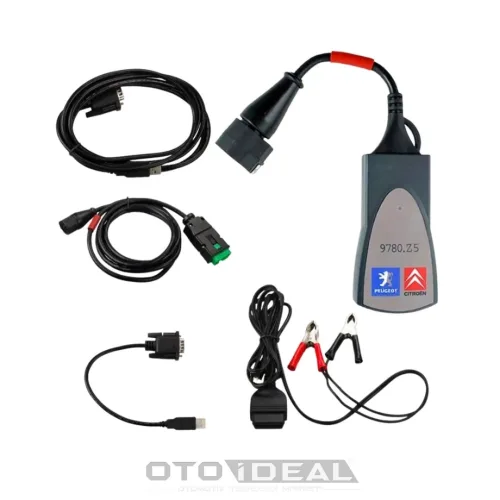


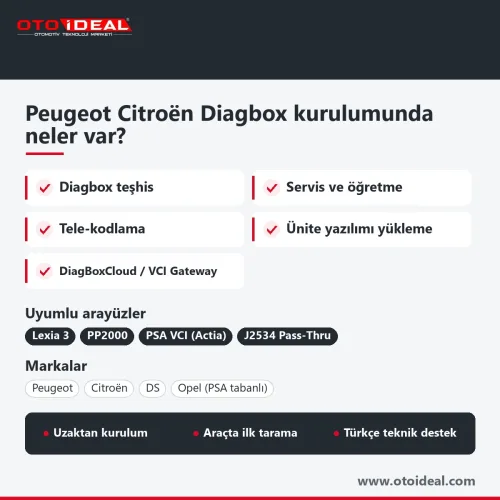
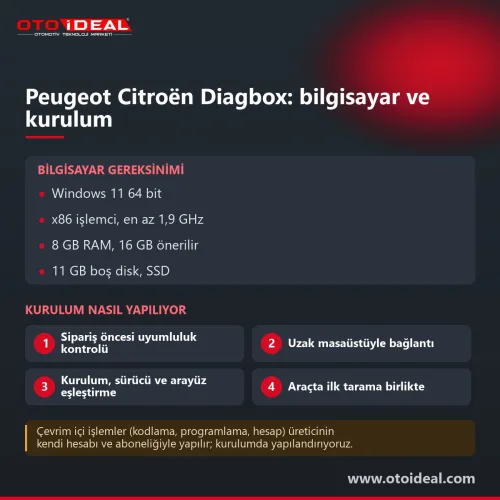
Peugeot Citroën DS Diagbox Installation: Lexia 3 and PP2000
No shipping — remote installation
Related Articles
View all
Citroën Ami, Fiat Topolino and Opel Rocks-e: the VCU3000 Now Reads Over OBD
The EVPT VCU3000 on Stellantis' small electric vehicles could only be opened by bench or boot, and both start by removing the unit. With Fle...
Read More
Abrites Price List 2026: AVDI, Licences and Hardware
The prices Abrites publishes, organised on one page: the AVDI Plus interface, full brand packages, individual licences, cable kits and the a...
Read More
Tractor Fault Codes and Solutions
Tractor fault codes with causes and fixes for engine, transmission, hydraulic, PTO and other systems, plus a search feature for quick diagno...
Read More
FORD VCM2 Update and Recovery Mode | Device Not Detected in IDS Program Issue
Ford VCM2 recovery and update: what to do when IDS does not see the device, and the order of the VCM2 recovery and firmware update steps.
Read More