
Ford Hidden Features: What FORScan Unlocks on Courier, Focus, Puma, Mondeo Mk5 and Transit
Ford Hidden Features: What FORScan Unlocks on Courier, Focus, Puma, Mondeo Mk5 and Transit
On this page
- What a Ford hidden feature is: menu, coding, hardware
- Which software unlocks Ford features: FORScan, IDS, FDRS
- Ford Courier hidden features: old and new body
- Ford Focus hidden features: Mk2.5, Mk3/3.5 and Mk4
- Ford Fiesta, Puma and EcoSport hidden features
- Ford Kuga and Mondeo Mk4, Mk5 hidden features
- Ford Transit, Custom, Connect and Ranger
- SYNC 2, SYNC 3 and SYNC 4: what can be enabled
- Features that software cannot add
- Back up the module before coding
- Frequently asked questions
What a Ford hidden feature is: menu setting, coding or hardware
A Ford hidden feature is a function whose hardware or software is already in the vehicle but was switched off at the factory, and which is turned on by changing the module configuration. Ford stores that configuration in each module under the name As-Built, meaning the factory configuration. According to the FORScan developer, not every module is configurable, and only the parameters defined by the manufacturer can be changed. That definition also sets the limit: a feature with nothing behind it in the module will not appear through coding.
| Group | How it is enabled | Ford example |
|---|---|---|
| Already in the menu (not hidden) | Cluster display or touchscreen: Settings, Vehicle | Autolock on the Puma; remote window opening on the Focus Mk4 and Puma; autolock and digital speedometer on the 2020 Transit Custom |
| Enabled by coding | FORScan with the Extended licence; configuration of the body (BCM), cluster (IPC) or SYNC (APIM) module | Autolock on the first-generation Courier (the handbook refers you to a dealer) and remote window opening; horn chirp on locking |
| Not possible in software | Fit the parts and wiring first, then configure the module | Auto high beam (windscreen camera), rear view camera, keyless entry, alarm with interior sensors |
In practice: a menu setting needs no tool, coding needs the right program and adapter, and a hardware feature needs the part first. We draw the same line in our Renault hidden features and Peugeot hidden features articles. On a Ford, the next question is which program writes the coding group.
Which software unlocks Ford hidden features: FORScan, IDS and FDRS
FORScan is an independent diagnostic and configuration program for Ford, Lincoln, Mercury and Mazda; it is not a Ford product and it is not a device, it is Windows software. Configuration and programming work only in the Windows version and only with the Extended licence. The Extended licence has a free two-month trial; the one-year licence is bought from the developer. The free Standard licence covers reading codes, live data and service functions.
The program supports Ford model years 1996 to 2024. The developer says brand-new 2021 to 2024 models have a limited set of functions and configuration parameters, and 2025-on models get only a "best-effort" commitment with nothing guaranteed. The current release is 2.3.71 from 8 May 2026. The recommended adapter is the OBDLink EX; J2534 pass-thru devices and the Ford VCM II also work, and Windows on ARM does not.
Some body and infotainment modules sit on the medium-speed CAN bus. The "some modules are missing" complaint we see most often comes from a cheap ELM327 that cannot reach that bus. Download, licence key and use are covered in our FORScan article. Oto İdeal does not sell FORScan licences; the USD 25 remote installation of the program, adapter and licence is described in that article.
Ford's own software has a different job. IDS is the service software for vehicles up to 2018 and FDRS for 2018-on vehicles: they install replacement modules, load software and write back the factory configuration, and with FDRS the authorisation comes from Ford's server. Ford has no authorised FDRS reseller and Oto İdeal does not sell FDRS licences; the differences are in our FDRS and IDS article.
The interface that works with both IDS and FORScan is the Ford VCM 2; a VCM 2 that will not start usually needs VCM2 recovery mode. The phone-based OBDeleven 3 also reads Fords, but according to the maker its Ford features work only on US-built vehicles, so European-built Fords are left out. The next question is what sits in the menu and what sits in a module on each Ford, and the most searched model is the Courier.
Ford Courier hidden features: first body and 2024-on body
The two bodies of the Transit and Tourneo Courier are two different vehicles electrically. The first body (B460 in FORScan, from 2014 until the new model) does not show lock and window settings in the menu; its 2019 handbook lists three audio units: an AM/FM/USB/Bluetooth radio, SYNC 3 without touchscreen and SYNC 3 with touchscreen. The 2024-on body (handbook code CHQ) has an 8 or 12 inch centre display and most settings moved there.
| Feature | First-generation Courier | 2024-on Courier |
|---|---|---|
| Remote window opening and closing | Not in the handbook; enabled through body module configuration (FORScan) | In the menu: Settings, Vehicle settings, Windows, Global Open and Global Close |
| Autolock at speed | Handbook: refers you to a Ford dealer; a coding job | Not listed as a separate setting; Auto Unlock, which unlocks when you stop and open the driver door, is in the menu |
| Unlock mode (driver door only) | Set when the vehicle is bought; if switched off, a dealer is needed to restore it | Hold lock and unlock together for four seconds with the ignition off; also changeable on screen |
| Horn when locking with a door open | Not listed as a setting | In the menu: Locks, Mislock Chirp |
| Tyre pressure system, hill start assist, rain sensor | In the vehicle settings menu (not hidden) | Depends on equipment |
| Alarm | Either a perimeter alarm using door, tailgate and bonnet switches, or an alarm with interior sensors and a battery back-up sounder; the second is hardware | Depends on equipment |
Most people asking how to enable remote window opening on a Courier have the first body. Its handbook lists two window specifications: one-touch open on the driver window only, and one-touch open and close on both front windows. Global closing relies on anti-trap protection, so enabling the closing side only makes sense on the second specification.
In FORScan users' lists this function is a body module parameter, but its name and position vary with the module software, so ready-made line lists do not fit every Courier. The difference between trim levels is usually hardware: a rain sensor, camera or one-touch window that the lower trim lacks will not arrive by coding. After the Courier, the most searched model is the Focus.
Ford Focus hidden features: Focus Mk2.5, Mk3/Mk3.5 and Mk4
On a Focus, what can be changed and where depends less on the model year than on the configuration architecture of the body. FORScan explains that on old models every module keeps its own configuration; the Focus Mk3, Kuga Mk2, Mondeo Mk4 and Fiesta Mk7 use central configuration; and modern Fords such as the Focus Mk4, Fiesta Mk8 and Mondeo Mk5 combine both. When a central value changes, the modules that depend on it must relearn. The coding column below shows settings that appear often in FORScan users' lists; if the module software has no such parameter, the setting cannot be enabled.
| Body | In the menu or standard (not hidden) | By coding | Needs hardware |
|---|---|---|---|
| Focus Mk2.5 (2008–2011) | Open and close all windows from the fob: hold the button for at least three seconds | Autolock at speed, fixed speed chime (if the cluster software has the parameter) | Approach lamps under the mirror: lamp-equipped mirror housing |
| Focus Mk3 and Mk3.5 (2011–2018) | Tyre pressure monitoring is already on the Mk3.5; Ford published a separate SYNC 3 supplement for the Mk3.5 in February 2016 | Autolock, remote window timing, horn chirp on locking; tyre pressure warning on pre-2014 cars (if the ABS software supports it) | Windscreen camera for auto high beam |
| Focus Mk4 (2018–2025) | Remote window opening and closing, Auto Unlock, mislock chirp, digital speedometer (MyView), auto high beam, cornering lamps; SYNC 2.5 or SYNC 3 | Alarm and horn chirp on base trims; front indicators lit as parking lamps (see the warning below) | Auto high beam needs the camera; an interior-sensor alarm needs sensors and a sounder |
Many Focus Mk2.5 owners are looking for a standard function: according to the 2010 handbook, global closing works only if the memory of each window has been set correctly. The approach lamp under the mirror is a part that comes with the mirror; code will not light it.
Tyre pressure depends on the year. In the European Union every new passenger car sold from 1 November 2014 must have tyre pressure monitoring, so the Mk3.5 already has it. Hazard lights after an emergency stop are similar: the Focus Mk4 handbook says that, depending on the rules of the country the car was originally built for, the stop lamps may flash under heavy braking and the hazard lights may come on when the car stops. The Fiesta and Puma repeat the Focus Mk4 logic in a smaller body.
Ford Fiesta, Puma and EcoSport hidden features
The Fiesta also has two generations. The Fiesta Mk7 and Mk7.5 (2008–2017) use central configuration, and on this generation autolock, alarm and remote window control are known as body module settings changed with FORScan. The Fiesta Mk8 (2017–2023) moved most of these settings into the menu.
| Model | In the menu (not hidden) | Note |
|---|---|---|
| Fiesta Mk8 (2020 handbook) | Autolock, Auto Unlock, remote window opening, auto high beam, full or reduced alarm guard | SYNC 2.5 or SYNC 3; auto high beam needs the camera |
| Puma (2020–2023) | Autolock above 20 km/h; remote window opening and closing (4.2 or 12.3 inch cluster) | FORScan release notes add ABS bleeding, sensor calibration and PATS for the Puma 2020 |
| Puma (2024-on facelift) | Remote start, auto high beam, cornering lamps | Remote start needs the FordPass app, an enabled modem and park (P); FORScan is not guaranteed on 2025-on model years |
| EcoSport (2018-on) | Depends on handbook edition | FORScan has steering angle sensor calibration and PATS functions |
The items on our old EcoSport and Puma list fall into different groups: auto high beam is a menu setting on a Puma with the camera; alarm and horn chirp are body module jobs; fog lamps that light when turning need front fog lamps or cornering lamps; and US-style parking lamps break the lighting rules (see the warning). On the Kuga and Mondeo the equipment options multiply.
Ford Kuga and Mondeo Mk4, Mk5 hidden features
The Kuga Mk2 (2012–2019) is in FORScan's central configuration group. The Kuga Mk3 (2019-on, facelifted in January 2024) shares the C2 platform with the Focus Mk4; FORScan's release notes list parking brake, ABS and front camera (IPMA) functions for the 2020 Kuga. From the 2021 model year the parameter list is limited, and 2025-on is not guaranteed.
The Mondeo Mk4 (2007–2014) uses central configuration; the Mondeo Mk5 (2014–2022) is the newer type. The 2021 Mondeo Mk5 handbook comes with SYNC 3 and puts remote window opening and closing, keyless entry on or off (on cars with keyless entry) and Auto Unlock in the menu. Remote start is in the handbook too, but its section title reads "automatic transmission". This is how the Mondeo Mk5 hidden features on our old list sort out:
- Keyless entry: needs door handle sensors, antennas and a keyless fob. On an equipped car it is switched in the menu; on a car without it, software will not add it.
- Remote start: works through the FordPass app and will not work unless the transmission is in park; it is not possible on a manual Mondeo.
- Rear view camera: needs the camera, wiring and a compatible screen; once fitted, the camera parameter is enabled in the relevant modules.
- Navigation: on SYNC 3 it is an "if equipped" option; it needs a navigation unit and maps.
- Digital speedometer and alarm: the 2021 Mondeo Mk5 handbook does not list a digital speedometer menu item. The perimeter alarm and the interior-sensor alarm are separate hardware; the back-up sounder is marked "if equipped".
On the commercial side, the first question is which Transit you mean.
Ford Transit, Custom, Connect and Ranger hidden features
"Transit" covers three different vans: the full-size Transit, the Transit Custom and the Transit Connect. The newer bodies moved settings into the menu; on the older ones the work falls to FORScan.
| Model | In the menu (not hidden) | FORScan and coding note |
|---|---|---|
| Transit Custom (2012–2023) | 2020 handbook (Kocaeli build): autolock (if equipped) is switched on in the information display; speed warning in the traffic sign recognition menu; digital speedometer | Service functions for 2012, 2016 and 2019 Customs; auto high beam needs the windscreen camera |
| Transit Custom (2024-on) | Touchscreen | Twin of the 2025 VW Transporter; FORScan 2.3.65 added functions for both together; configuration list limited |
| Transit (2014-on) | 2026 handbook: autolock, Auto Unlock, auto high beam and alarm guard level on the touchscreen | Remote window opening is not in the handbook; the body module configuration layout for 2022-on vans was fixed in FORScan 2.3.59 |
| Transit and Tourneo Connect (2012–2022) | Depends on model year | FORScan lists functions for 2014–2018 and 2019 models |
| Tourneo Connect (2021-on), Transit Connect (late 2024-on) | Based on the VW Caddy (MQB, built in Poznań) | VW tools rather than Ford software; VW's SFD protection applies |
| Ranger (2022-on) | 2023 handbook: remote window opening and closing, Auto Unlock, exterior zone lighting, remote start; SYNC 4 with 8 or 12 inch screen | FORScan has ABS, parking brake, headlamp module and camera functions; 2021–2024 new-model limit |
What people call the Ford Transit hidden menu is usually one of two things: the vehicle settings that the handbook documents, or module configuration in FORScan. The "rear view video" item on our old list needs a camera and wiring. We do not recommend coding that allows video playback while driving, because it distracts the driver.
On post-2020 Fords the first obstacle is usually not a lock but FORScan's limited parameter list for new models. In Europe, however, newer models such as the Explorer, Capri and City Van have a locked security gateway, and write access for multi-brand tools depends on an agreement with the manufacturer. On the screen side, the SYNC generation decides what is possible.
Ford SYNC 2, SYNC 3 and SYNC 4 hidden features: what can and cannot be enabled
SYNC is Ford's infotainment system and runs in its own module, the APIM. FORScan's release notes include SYNC 2 configuration parameters (2.3.42, August 2021) and support for retrofitted SYNC 4 (2.3.45, 2.3.47), so the SYNC module is configurable too. But everything enabled in SYNC depends on another module or part being present.
| SYNC | Vehicles (per handbook) | In the menu or standard | Not added by coding |
|---|---|---|---|
| SYNC 2 | The touchscreen generation before SYNC 3 | Configuration parameters in FORScan since 2.3.42 | No CarPlay or Android Auto; no software path to SYNC 3 |
| SYNC 2.5 | Fiesta Mk8 (2020), Focus Mk4 (2020), Transit Custom (2020) | Radio, digital radio, Bluetooth and USB media | No software path to SYNC 3 |
| SYNC 3 | Courier 2019 (with and without touchscreen), Focus Mk3.5 (2016 supplement), Fiesta Mk8, Focus Mk4, Mondeo Mk5, Transit Custom | CarPlay and Android Auto over USB on touchscreen SYNC 3; Android Auto may need enabling in settings | Navigation (navigation unit and maps), rear view (camera), on-screen climate (a climate unit that talks to the screen) |
| SYNC 4 | Ranger 2023 (8 or 12 inch), European Transit (optional in 2022, standard 12 inch in 2024) | Wireless CarPlay and Android Auto; remote start through FordPass | Limited FORScan parameter list on 2021–2024 new models; 2025-on not guaranteed |
That is why the "climate menu on the Courier SYNC 3 screen" item on our old list needs care: enabling a climate tab does not make the climate control touch-operated; the climate unit has to communicate with SYNC. Moving up a generation is not coding either; going from SYNC 2 to 3 or from 3 to 4 means a new unit and usually a new screen, and Ford states that an older generation cannot be upgraded to a newer one by software. Here are the camera and sensor examples in one table.
Ford features that software cannot add: cameras, sensors and antennas
A feature that software cannot add is one that needs a sensor, lamp, camera or antenna in the vehicle; even if the parameter exists, without the part it will not work or will log a fault.
| Feature | What it needs |
|---|---|
| Auto high beam | Windscreen camera; the handbooks say the system switches off when camera visibility is reduced |
| Rear view, 180 or 360 degree camera | Camera, wiring and a compatible screen; then module configuration |
| Keyless entry and start | Door handle sensors, antennas, keyless fob |
| Remote start | Automatic transmission and FordPass modem; switched in the menu on equipped cars |
| Alarm with interior sensors | Sensors in the overhead console and a battery back-up sounder; the perimeter alarm uses only door, tailgate and bonnet switches |
| Approach lamps under the mirror | Lamp-equipped mirror housing and wiring |
| Fog lamps on turning, cornering lamps | Front fog lamps or cornering lamp hardware |
| Automatic windscreen heating | Heated windscreen |
| Navigation | Navigation-capable SYNC unit and maps |
Enabling a feature whose hardware is in place takes minutes. What takes time, and what many workshops skip, is the backup before the value is changed.
Back up the module before coding: the FORScan steps
A module backup is a file holding the vehicle's current configuration, and it is the only reliable way to undo a change that went wrong. FORScan writes backups in its own .ABT format and can read back both that file and Ford's factory .AB file.
- Stabilise the voltage. Connect a battery charger and switch the ignition on. A voltage drop during writing can leave the module half-configured.
- Save the codes. Open FORScan with the Extended licence and read and save the fault codes of all modules, so existing faults are not blamed on the coding later.
- Save the configuration to a file. In Configuration and Programming, select the module you will change (BCM, IPC, APIM), open "Module Configuration (As Built format)" and use "Save All" to write an .ABT file. Repeat for every module you will change.
- Copy the file. Keep a copy off the laptop and put the VIN and date in the file name.
- Change values in the readable view. The FORScan developer recommends the "Module Configuration" function with named parameters; editing raw lines is error-prone, and the line layout can differ by module version even within one model year. Make one change at a time.
- Write and test. Write the change, test the function on the vehicle and read the codes again. If central configuration changed, run the relearn function in the related modules; otherwise a module may set U2100 or U2101.
- Roll back if needed. In the same module, use "Load All" to load the backup, then "Write All" to write it to the module. Loading alone writes nothing.
The factory configuration can also be fetched by VIN from Ford's Motorcraft service site, and FORScan reads that file; but a record is not guaranteed for every vehicle, so your own backup comes first. Installing FORScan and getting the licence key are covered in our FORScan download and licence article.
Honest warning
Enabling a hidden feature means changing the module's factory configuration. A wrong value can leave a module with an inconsistent configuration; the FORScan developer protects certain body module settings (electronic steering column lock configuration) precisely because they cannot be reversed. Front indicators lit as parking lamps (US-style parking lights) do not comply with UN/ECE lighting rules: front position lamps must be white, amber is allowed in the US, and on a road vehicle this can cause an inspection failure. We do not recommend coding that disables safety warnings such as the seatbelt reminder or enables video while driving. If the car is under warranty, ask the dealer before changing anything.
Frequently asked questions
What are the Ford Mondeo Mk5 hidden features?
On the Mondeo Mk5, remote window opening and closing, keyless entry on equipped cars and Auto Unlock are menu settings. Remote start exists only on automatic cars through FordPass; a rear camera and navigation need hardware. Other body and cluster settings are changed with FORScan.
What are the Ford Puma hidden features?
On the 2020–2023 Puma, autolock and remote window opening and closing are already in the menu. On the 2024-on Puma, remote start is switched on in the menu with FordPass and an automatic gearbox; FORScan is not guaranteed on 2025-on model years.
Does Ford SYNC 2 have hidden features?
FORScan has had SYNC 2 configuration parameters since release 2.3.42, so some settings can be changed. SYNC 2 has no CarPlay or Android Auto, and it cannot be turned into SYNC 3 by software.
Can FORScan unlock hidden features?
Yes. With the Windows version, the Extended licence and a suitable adapter such as the OBDLink EX or Ford VCM II, FORScan changes module configuration. Back up every module before you change it.
Is there a Ford Transit hidden menu?
What is usually meant is either the documented settings menu (autolock, Auto Unlock and auto high beam on the new Transit) or module configuration in FORScan. On the 2024-on Custom, FORScan's parameter list is limited.
What can be enabled on Ford SYNC 4?
SYNC 4 brings wireless CarPlay and Android Auto, and remote start through FordPass on equipped vehicles. Coding options are narrower, because FORScan's parameter list is limited on 2021–2024 new models and 2025-on support is not guaranteed.
How do I unlock hidden features on my car?
Check the handbook's settings menu first, then confirm the hardware is fitted, then back up the module and change one value at a time with a configuration program; on a Ford that program is FORScan.
The interface for Ford module configuration and programming is on the Ford VCM 2 page; installation of IDS, FDRS and FORScan on your computer, VCM 2 pairing and licence entry are part of our Ford IDS and FDRS installation service. Other brands' service software is in the software and licence category and multi-brand tools in diagnostic devices. We do not do the coding at your vehicle; send us the model, model year, SYNC version and the feature you want through the contact form, and we will tell you whether it is a menu setting, a coding job or hardware, and which installation you need.
Related products
View all


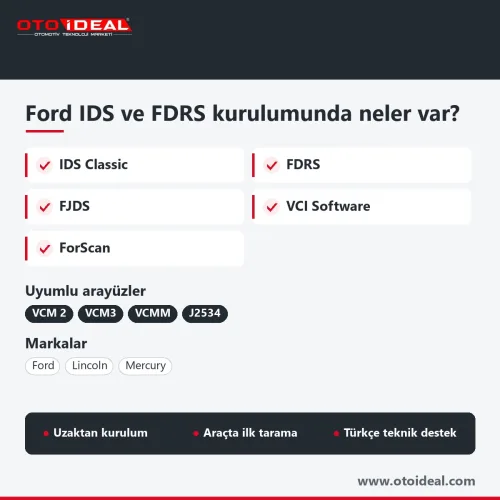
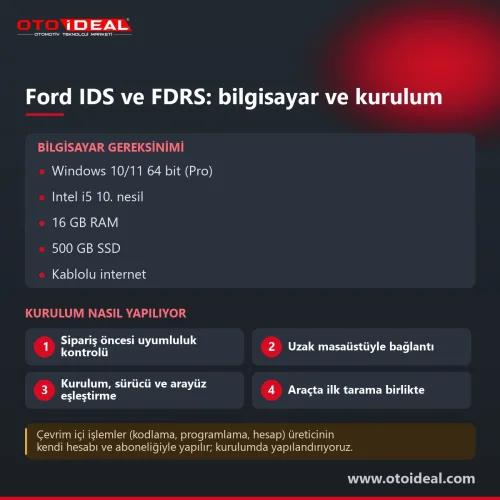
Ford IDS and FDRS Installation: VCM 2 Pairing and ForScan
No shipping — remote installation
Related Articles
View all
Citroën Ami, Fiat Topolino and Opel Rocks-e: the VCU3000 Now Reads Over OBD
The EVPT VCU3000 on Stellantis' small electric vehicles could only be opened by bench or boot, and both start by removing the unit. With Fle...
Read More
Abrites Price List 2026: AVDI, Licences and Hardware
The prices Abrites publishes, organised on one page: the AVDI Plus interface, full brand packages, individual licences, cable kits and the a...
Read More
Tractor Fault Codes and Solutions
Tractor fault codes with causes and fixes for engine, transmission, hydraulic, PTO and other systems, plus a search feature for quick diagno...
Read More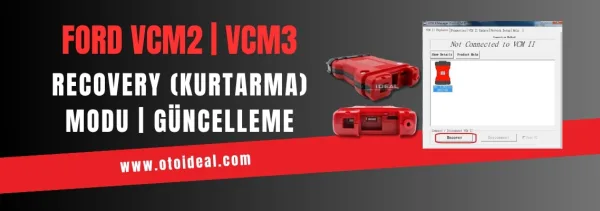
FORD VCM2 Update and Recovery Mode | Device Not Detected in IDS Program Issue
Ford VCM2 recovery and update: what to do when IDS does not see the device, and the order of the VCM2 recovery and firmware update steps.
Read More