AutoTuner
$4,139
VAT incl.
Free shipping Ships within 2-3 days
1 / 6
 MagicMotorsport
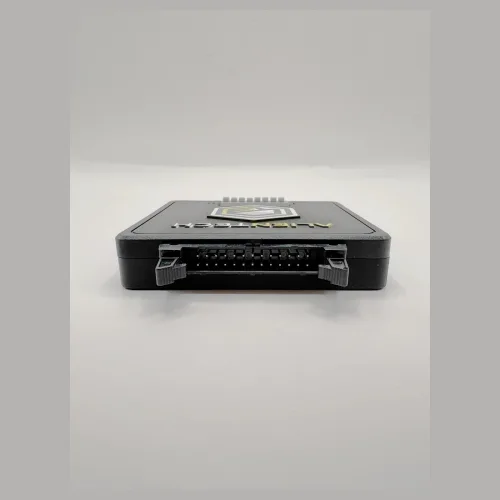
MagicMotorsport Flex is a professional programmer that reads and writes the software of engine control units (ECU) and automatic transmission control units (TCU). It is made in Italy by Magic Engineering S.r.l. and reaches the control unit in three ways: through the vehicle's OBD socket, on the bench with the unit removed and powered on the desk, and in boot mode with the processor started in its bootloader. Besides writing tuning files, the same tool is used for ECU repair, cloning, software recovery and unit replacement. Flex works on the unit after the diagnosis; reading fault codes and live data is the job of a diagnostic scanner.
In short: FLK02.V02 hardware kit plus the software licence you choose. OBD, bench and boot; 14 licence packages, each in a Master and a Slave version, so 28 options in total; one year of updates included with a software package. Since version 8.0, Flex performs Boot Glitch on most Bosch MDG1 units with TC2xx processors by itself, using the FLX4.1 adapter in the kit; the Korhex add-on extends it to other processor families.
Flex reads the software inside a control unit, writes the modified version back, and supplies the power and communication the unit needs while it does so. Two parts come in the box and work together:
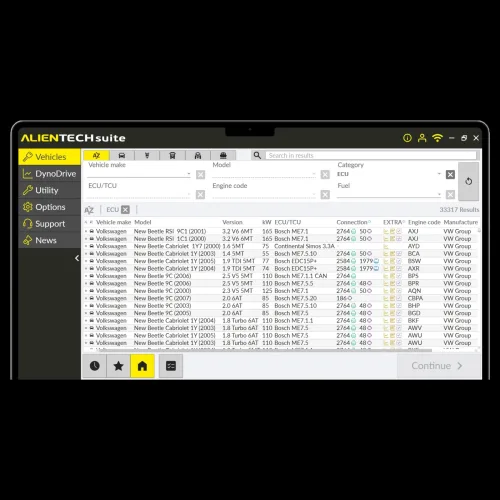
The Flex software on the computer is web-based and runs on Windows 10 and later. Which units the tool can open is decided by the software licence you buy, not by the hardware. That is what sets Flex apart from single-price competitors: you buy only the licence you need and add others as your work grows.
Chip Tuning
Reads injection, boost, torque and rev maps from the engine software and writes the modified file back.
ECU Repair
Recovers units whose software is corrupted, locked during an update or no longer responding, through boot.
Cloning and Replacement
Reads the software and adaptation data from a removed unit and transfers them to a new one. The manufacturer publishes a list of duplicable ECUs and TCUs.
Gearbox Software
With the TCU licence, reads and writes automatic transmission units over OBD, bench and boot.
Checksum Correction
Corrects the checksum of the modified file before writing; a wrong checksum stops the unit from starting.
Datalogger
Records up to 60,000 parameters in real time: pressure, torque, air, fuel, exhaust gas temperature, speed, revs.
Magic Lock
Stops others from reading the file you have written to the unit, so your work stays yours.
Full Backup
Backs up the entire content of the unit before any work starts, so there is always a way back.
Every licence comes in two versions, and the difference is about rights before it is about price. Which one you need depends on who prepares the files. The hardware is the same for both.
The Master version gives you the file read from the unit in plain form and as a .bin, editable with any software. You prepare the file yourself and write it back. A Master user receives 300 Green Coins a month for the manufacturer's file services and gets full technical support directly from the manufacturer. To connect Slave users to your account you also need the MAGP0.1.1.2 file decrypting module on the Master account: a one-off add-on that allows up to 99 Slaves.
The Slave version is considerably cheaper. The file it reads is encrypted: you cannot open or edit it, you send it to the Master you are linked to, and Flex writes the prepared file once it comes back. A Slave is linked to a Master at activation, when you enter the Master's e-mail address or Flex serial number. You can choose the Master yourself, or the manufacturer can recommend one for your region. Slave support goes through the Master first.
| Comparison | Master | Slave |
|---|---|---|
| File read | Plain .bin — editable with any software | Encrypted — only the linked Master can open it |
| Who prepares the file | The user | The linked Master |
| Read and write | Yes | Yes |
| File service for others | Yes (up to 99 Slaves with MAGP0.1.1.2) | No |
| Green Coins | 300 a month | None |
| Technical support | Full, directly from the manufacturer | Basic, through the Master first |
| Best for | Workshops writing their own files, companies running a Slave network | Workshops buying files in, new workshops |
Yes. You pay the price difference between your Slave package and the matching Master package; the hardware stays the same. The manufacturer first needs the release from your current Master, given in writing by e-mail or through a sales ticket that quotes the Slave's serial number. A Slave with an active subscription can also change Master, free of charge, once the current Master authorises it in writing. In practice most workshops start as Slave and move to Master as volume and experience grow.
The manufacturer's catalogue has 14 licence packages; each is sold as Master and as Slave, which makes 28 options. All of them are in the selection box at the top of this page with current prices, and the box adds up the total. The codes are the manufacturer's own product codes; quoting the code when you order speeds things up.
| Licence | Code | Scope |
|---|---|---|
| Full Flex package | FLS0.5M / FLS0.5S | All of ECU, TCU, MPC5xx, Nexus, Renesas, Siemens, ST10, NEC, Infineon, Bikes and Heavy Duty; Boot Glitch included. Far cheaper than buying the parts separately. |
| ECU OBD + Bench | FLS0.1M / FLS0.1S | Engine units of cars, vans and bikes, over OBD and on the bench. Most day-to-day work falls here. |
| TCU OBD + Bench + Boot | FLS0.2M / FLS0.2S | Transmission units of cars, vans and bikes, in all three methods. |
| Heavy Duty OBD + Bench + Boot | FLS0.15M / FLS0.15S | Trucks, buses, construction and agricultural machines. ECUs, TCUs, CPCs and DCUs from Bosch, Cummins, Denso, TRW and Continental; OBD, OBD Full, bench and boot. |
| Bikes OBD + Bench + Boot | FLS0.13M / FLS0.13S | Motorcycle ECUs and other modules on bikes. |
| Boot Glitch | FLS0.20M / FLS0.20S | Boot access on protected units by glitching; also enables Korhex. Included in the Full package. |
| Infineon TC17xx / TC2xx / TC3xx | FLS0.10M / FLS0.10S | Bench and boot. Reaches TriCore units such as MEDC17 from their own connector, without opening them. |
| Motorola MPC5xx | FLS0.3M / FLS0.3S | BDM protocol; units such as EDC16 and MED9. |
| Nexus MPC5xxx | FLS0.4M / FLS0.4S | ECUs and TCUs in bootloader mode. |
| Renesas SH7xxxx | FLS0.6M / FLS0.6S | OBD, boot and bench; mostly Denso and Continental units. Also covers Kubota tractors (OBD and bench). |
| NEC 76F00xx | FLS0.9M / FLS0.9S | JTAG AUD; Toyota Denso 275xxx and 175xxx units. The unit must be opened. |
| Siemens C165 / 166 / 167 | FLS0.7M / FLS0.7S | Bootloader; older units such as ME7 and EDC15. |
| ST10F2xx | FLS0.8M / FLS0.8S | Bootloader; older units such as Marelli IAW. |
| Datalogger Plus | FLS0.11M / FLS0.11S | Records 50 to 2,000 sensors depending on the vehicle, at up to 50 samples a second; works with the FLX2.10 cable. |
Does Full cover everything? Datalogger Plus is not on the manufacturer's list of Full package contents; if you need it, add FLS0.11. Boot Glitch is part of Full.
Master add-on: the MAGP0.1.1.2 file decrypting module is not a licence but a one-off module added to a Master account (manufacturer list price €400 excluding VAT). It is not a separate line in the selection box; mention it in your order request if you need it.
The price of Flex has two parts: the hardware kit and at least one licence. The hardware does not work without a licence, so the figure worth comparing is the sum. The table below uses the same calculation as the selection box at the top of the page: the manufacturer's euro list price, converted at the day's rate, with VAT. It updates by itself when the rate changes.
| Setup | Code | Licence | Hardware + licence |
|---|---|---|---|
| Hardware kit (FLK02.V02) | — | — | $1,509 |
| ECU OBD + Bench — Slave | FLS0.1S | $1,385 | $2,894 |
| ECU OBD + Bench — Master | FLS0.1M | $3,462 | $4,971 |
| Full Flex — Slave | FLS0.5S | $2,631 | $4,140 |
| Full Flex — Master | FLS0.5M | $7,061 | $8,570 |
| TCU (gearbox) — Slave | FLS0.2S | $1,108 | $2,617 |
| Heavy Duty — Slave | FLS0.15S | $1,108 | $2,617 |
| Heavy Duty — Master | FLS0.15M | $2,492 | $4,001 |
| Bikes — Slave | FLS0.13S | $277 | $1,786 |
Extra cable for heavy duty: on trucks and buses the OBD connection uses the FLX2.65 cable, which is not in the standard kit; it comes with the manufacturer's heavy-duty bundle (O.FLK0425M). If you will work on heavy vehicles, say so in your order and we will include the cable in the quote.
If you are not sure which setup fits you, describe how you work in your order request: which vehicles you handle, whether you prepare files yourself, whether you do gearbox work. We will choose the licence with you; steering anyone to a pricier package than they need helps nobody.
What Flex covers depends on the licences you buy. Together, the hardware, the adapters in the kit and the licences work with these families:
A family appearing here does not mean every unit in it is supported for every job: support is defined unit by unit and grows with software updates. The manufacturer publishes the current Flex vehicle list and the list of duplicable ECUs and TCUs on its own site. To ask us about a specific unit, send the number printed on it (for Bosch, the one starting with 0281…) and we will check it with you.
Carmakers have locked down engine units heavily in recent years. The Bosch MDG1 family is the most common example: classic boot on these units meant soldering on the board, removing resistors or wiring the boot pin by hand. It took time and put the board at risk.
Flex 8.0.0.0 (29 June 2026) changed that. Flex now performs Boot Glitch on most Bosch MDG1 units with TC2xx processors without Korhex, using the FLX4.1 port E adapter that is in the kit; units from VAG, BMW, Stellantis, Kia/Hyundai and Jaguar Land Rover are included. Connecting takes from 10 seconds to 25 minutes depending on the unit, and version 8.5.0.0 added a connection check (Bridge Test) for FLX4.1. The unit is opened for the glitch. Some MDG1 units no longer need a glitch at all and are worked on without opening: BMW and Mini MDG1 on the bench through the pinout (8.12, with FLS0.1, FLS0.10 or FLS0.5), and the BMW MG1CS003 with its SPC5777M processor on the bench (8.21).
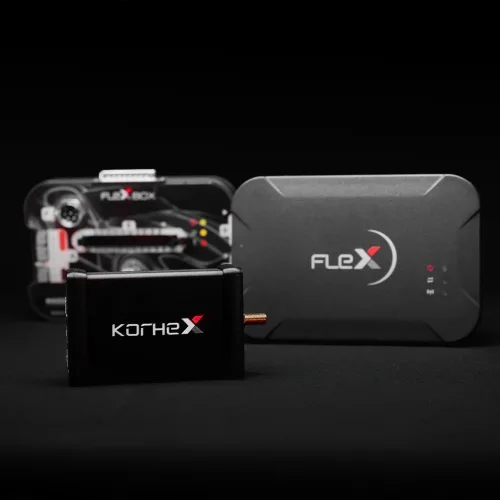
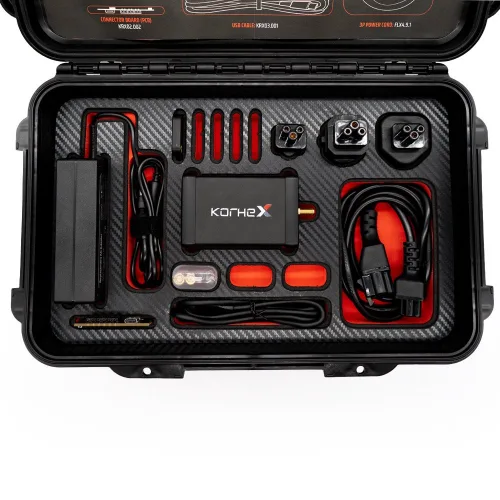
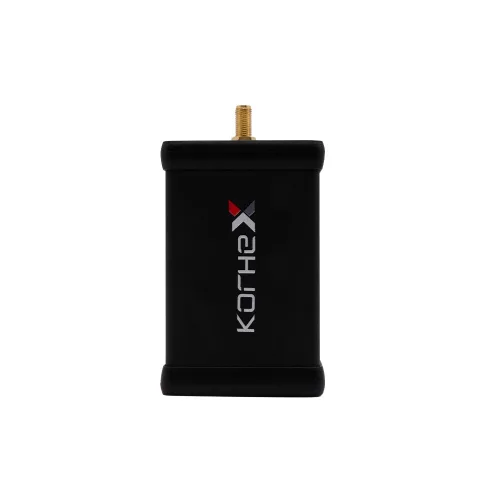
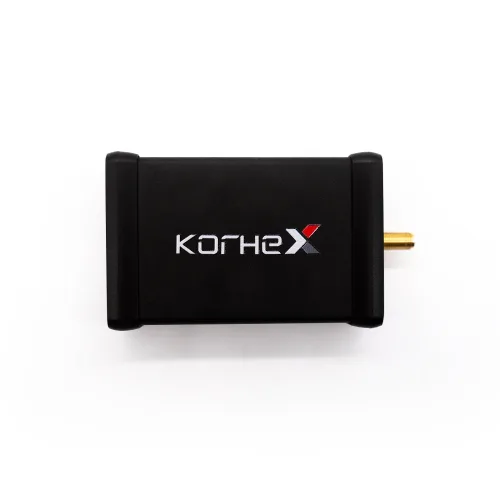
Korhex is the add-on hardware for processor families Flex's own glitch does not reach. Released on 8 September 2026, it uses EMFI (electromagnetic fault injection) and is placed on a defined contact point of the microcontroller. The unit is opened, but no soldering, resistor removal or boot wiring is needed. SPC5777, SPC58 / SPC58N, MPC5566 and some TC29x units are opened this way:
| Units opened with Korhex (examples) | Processor | Flex version |
|---|---|---|
| DAF Delphi ETC3 (UDS) | MPC5566 | 8.15.0.0 |
BRP Bosch MG1CA920 | SPC58N | 8.16.0.0 |
Mercedes Bosch MD1CP001 / MG1CP002 | SPC5777 | 8.17.0.0 |
| Mercedes Truck CPC5 (after 2020) | SPC58 | 8.18.0.0 |
Stellantis Bosch MG1CS032 | SPC58 | 8.22.0.0 |
Stellantis Bosch MD1CS003 | TC298 | 8.23.0.0 |
Porsche Bosch MG1CP007 / MG1CS047 | — | 8.25.0.0 |
Bosch MD1CS069 / MD1CS089 | TC299 | 8.26.0.0 |
Operations with Korhex: internal flash read, write and checksum; internal EEPROM read and write; full backup and boot unlock. Times vary by unit: connection and glitch about 10 to 40 seconds, reading about 2 to 2.5 minutes.
Licence requirement: both Flex's own Boot Glitch and Korhex need the FLS0.20 Boot Glitch licence or the FLS0.5 Full package on the Flex side. If you chose Full, Boot Glitch is already included.
Korhex is a separate product and does not work without Flex. Details and the current price are on the Korhex Boot Glitch and MCU Access Tool page.
Flex has three basic ways in, and choosing the right one decides both the time and the risk.
Reading and writing through the vehicle's OBD socket without removing the unit. It is the fastest and least risky route; if the unit allows it, OBD should always come first. Two vehicle cables come in the box: FLX2.10 (red) for CAN and K-Line, and FLX2.11 (green) for vehicles that communicate over ENet. Trucks and buses also need the FLX2.65 cable.
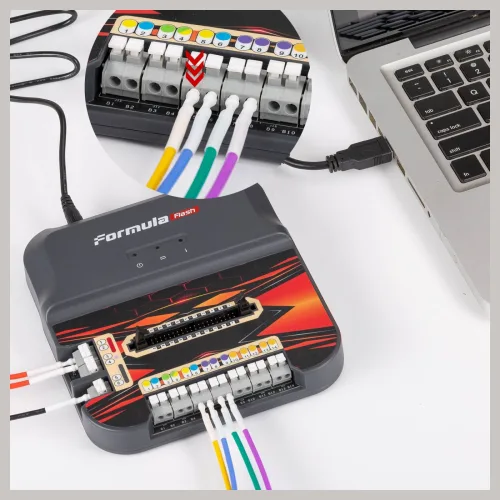
The unit is removed and powered on the desk through its own connector, without opening the case. It is used for units closed over OBD or risky to write that way. The Flexbox module and the FLX4.1 port E adapter connect to the unit's pins without soldering, together with the FLK35 colour-coded cable set. The FLX2.14 cable in the box lets you pick one of the Flexbox's four operating modes through the unit's OBD port.
The processor is started in its bootloader to reach the memory directly. Classic boot usually means opening the unit and making a contact or solder connection on the board; on locked, updated or corrupted units it is often the only way in. On new protected units Boot Glitch takes over: the unit is opened, but no soldering or boot wiring is needed.
| Method | Unit removed? | Physical work | When |
|---|---|---|---|
| OBD | No | None | First choice when the unit is open over OBD |
| Bench | Yes | Connector only, case stays closed | When OBD is closed or risky |
| Boot | Yes | Unit opened; contact or solder | Locked, corrupted, protected units |
| Boot Glitch | Yes | Unit opened; no solder, no boot wiring | Protected units such as MDG1 (Flex + FLX4.1 or Korhex) |
Flex licences are activated against your account with the manufacturer, not stored in the tool, so setup starts with the account rather than the software. The manufacturer's flow is:
We set up the account, the activation and the software installation with you over a remote connection, and the first-use and ongoing technical support come from us.
Yes. A software package comes with one year of updates, counted as 365 days from activation. When it ends the tool is not locked: you keep working with the software you have received, and bug fixes for the protocols you own keep coming. What stops are the new things: new protocols, and new functions added to existing protocols, count as new releases.
Three more details are worth knowing. A late renewal is backdated to the day after the expiry date, so no time is gained for free. On an expired account the manufacturer may refuse configuration changes such as adding a licence. Activated licences and subscriptions are not refundable.
| Annual renewal (manufacturer list price, excl. VAT) | Master | Slave |
|---|---|---|
| Full | €800 | €500 |
| OBD | €500 | €300 |
| Bootloader / BDM / JTAG | €500 | €300 |
The manufacturer gives Flex tools with an active subscription a limited lifetime warranty. If a fault in the FLX1.1 programmer or the FLX1.9 Flexbox is confirmed through a repair ticket, a new interface is supplied and the customer pays only the shipping. The conditions, stated plainly so the second year holds no surprises:
The tools we sell are genuine and invoiced; the warranty applies on the manufacturer's terms above. When this page was written the latest release was Flex 8.26.0.0 (19 October 2026); the manufacturer publishes new unit support almost every week.
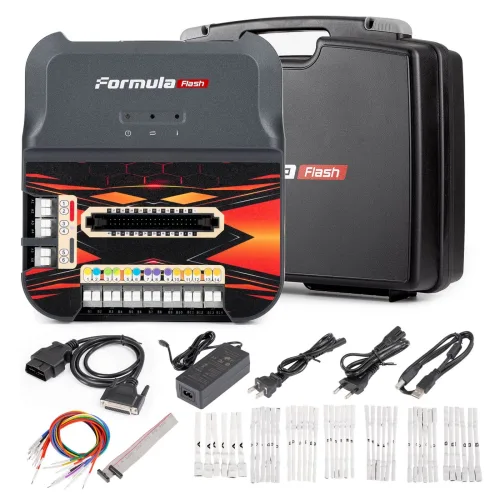
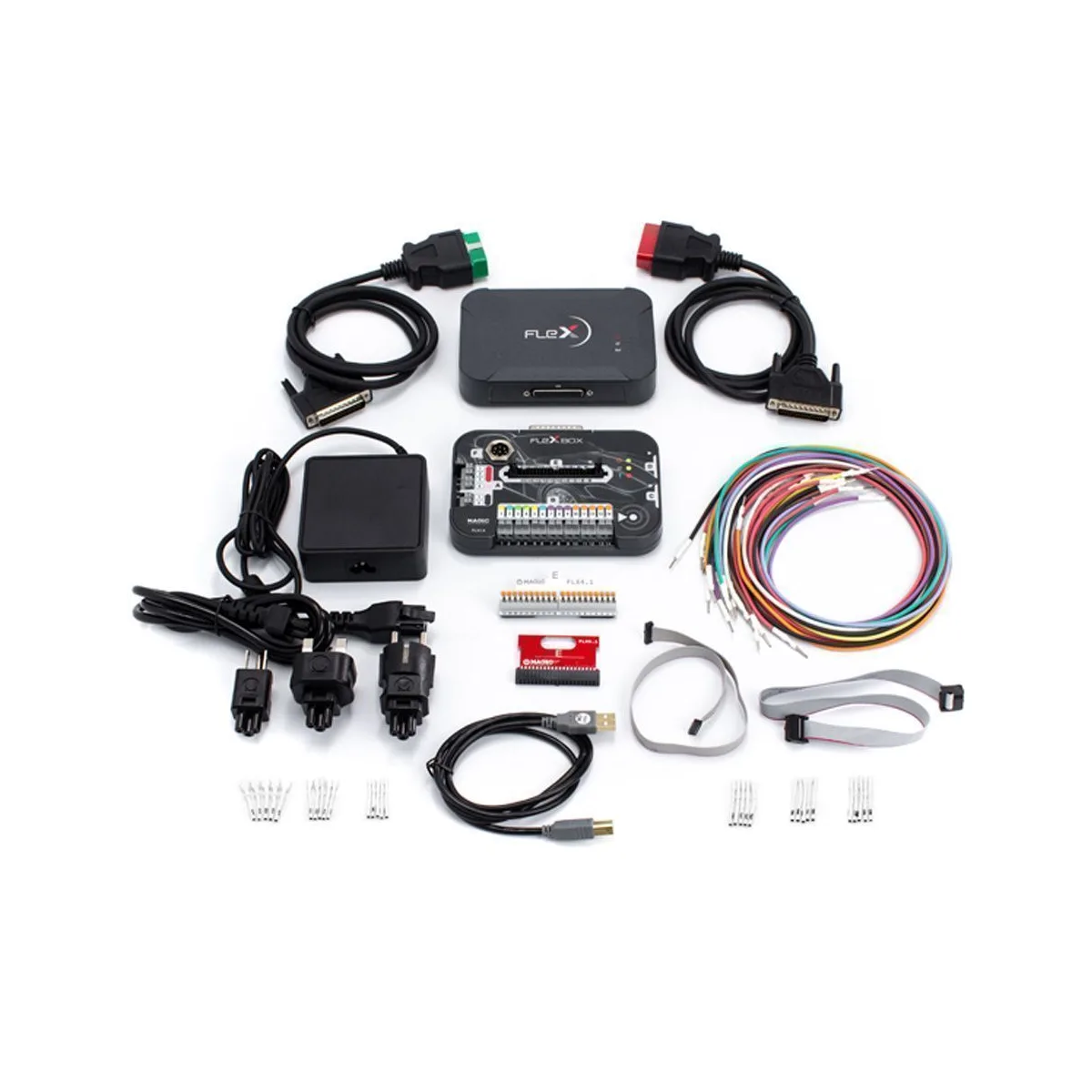
The hardware kit carries the code FLK02.V02 and, by the manufacturer's list, has fourteen items. First the main parts, then the official parts list:
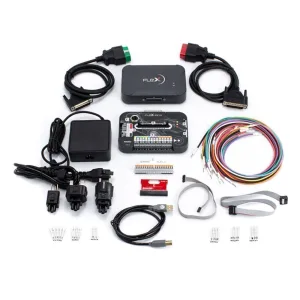
Full kit
The whole box: programmer, Flexbox, OBD and bench cables, adapters, cable set and power supply.
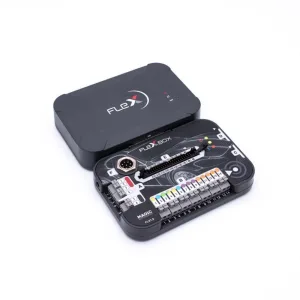
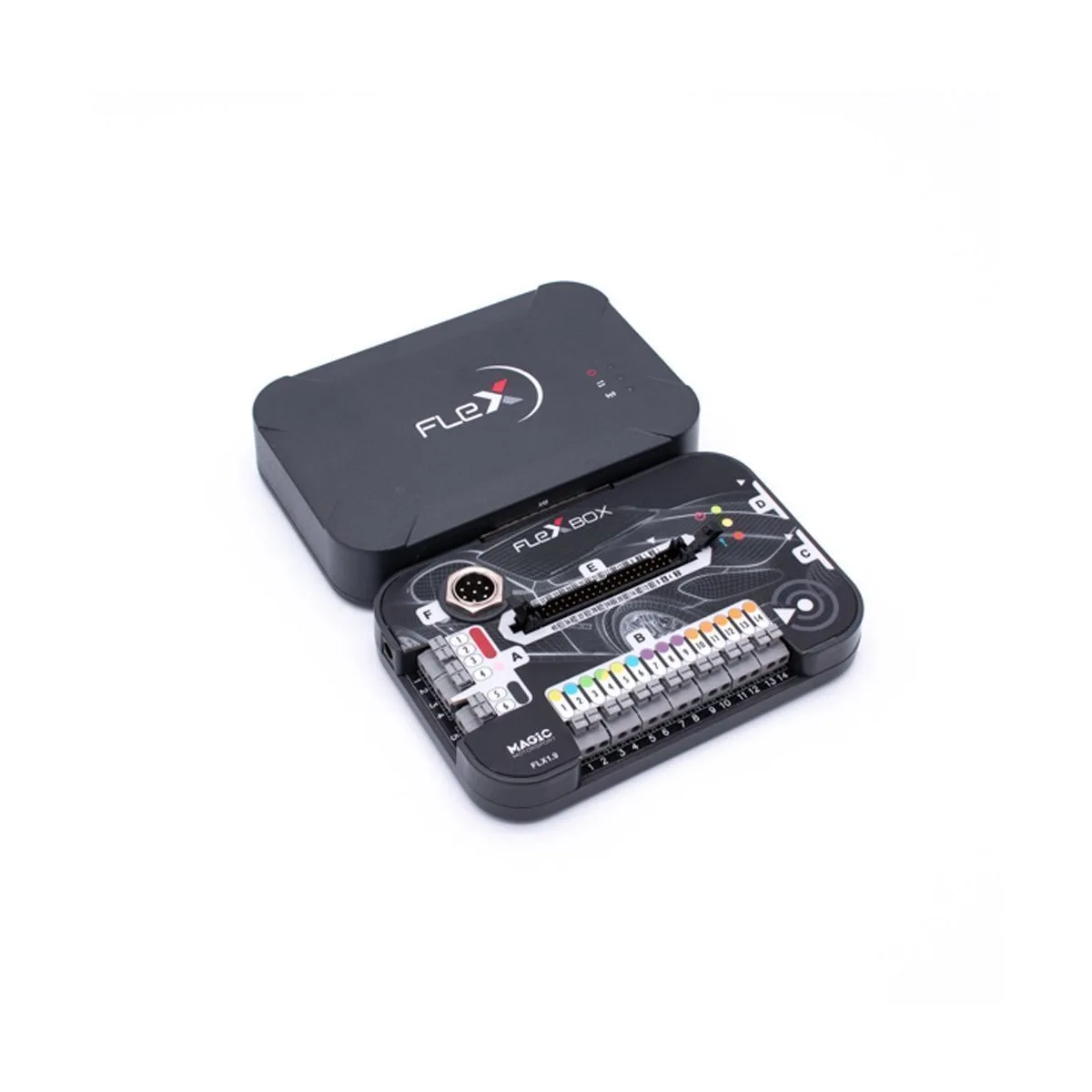
Programmer and Flexbox
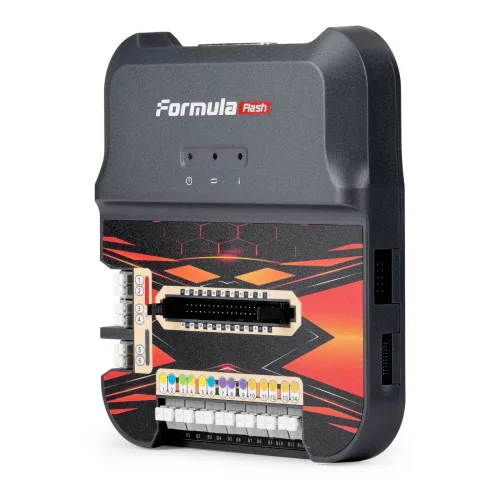
The main unit talks to the computer and the vehicle; the Flexbox on top supplies power and pin connections for bench and boot work.
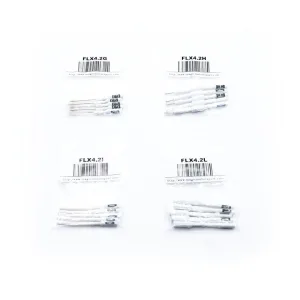
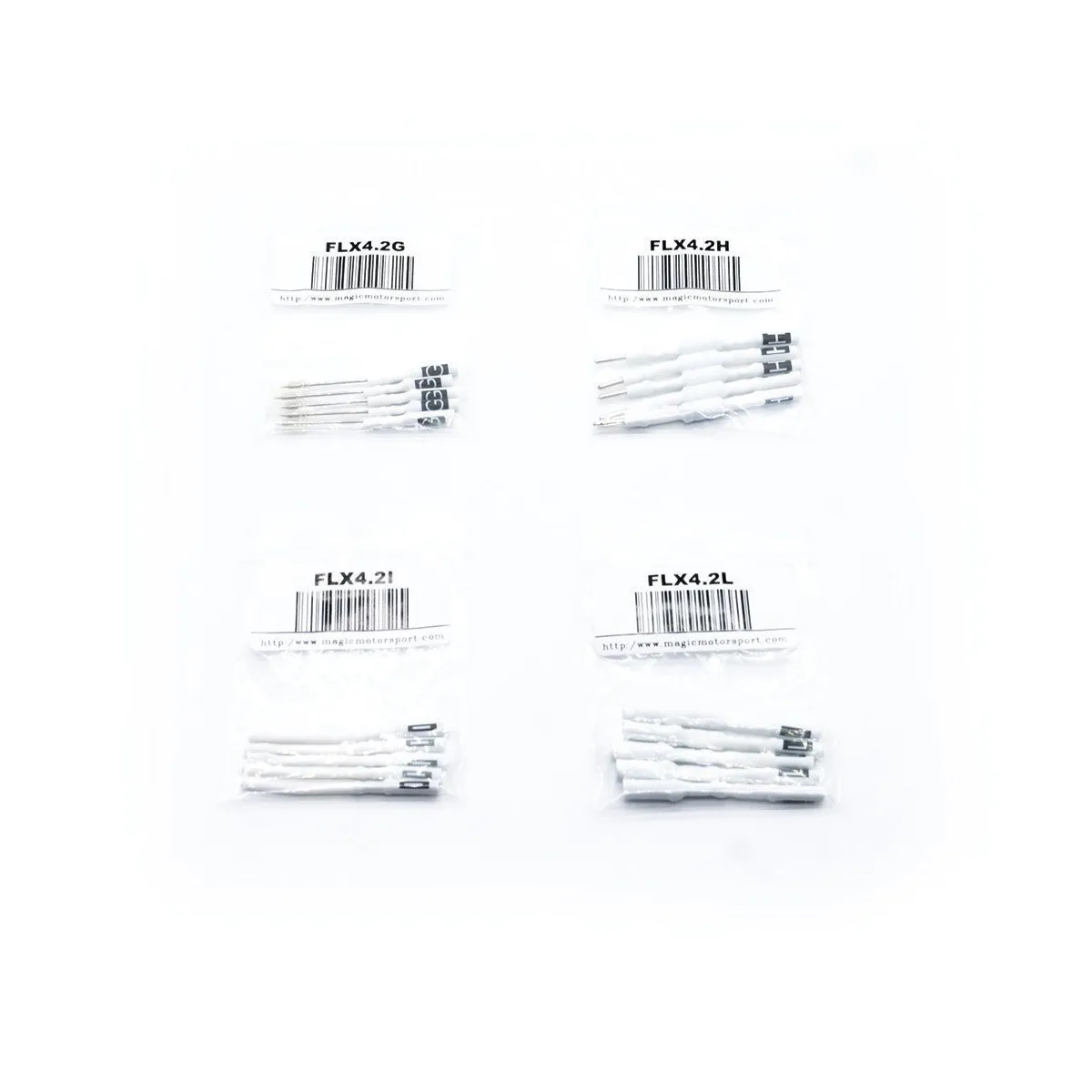
Set of 10 pin adapters
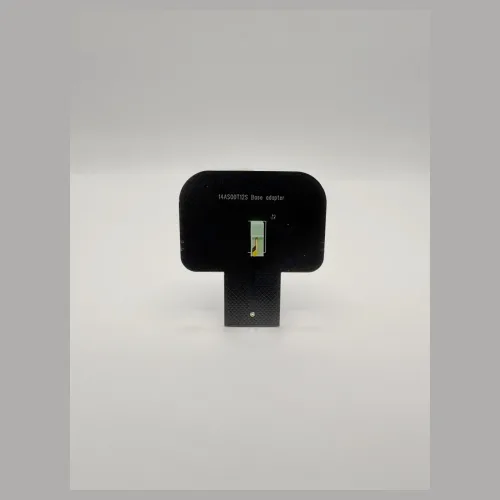
Ten adapters used with the FLK35 cable set, including connections for EMS31xx, EDC17C49/C69, EDC7, MDG1 and Cummins CM2150.
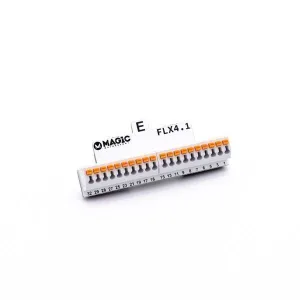
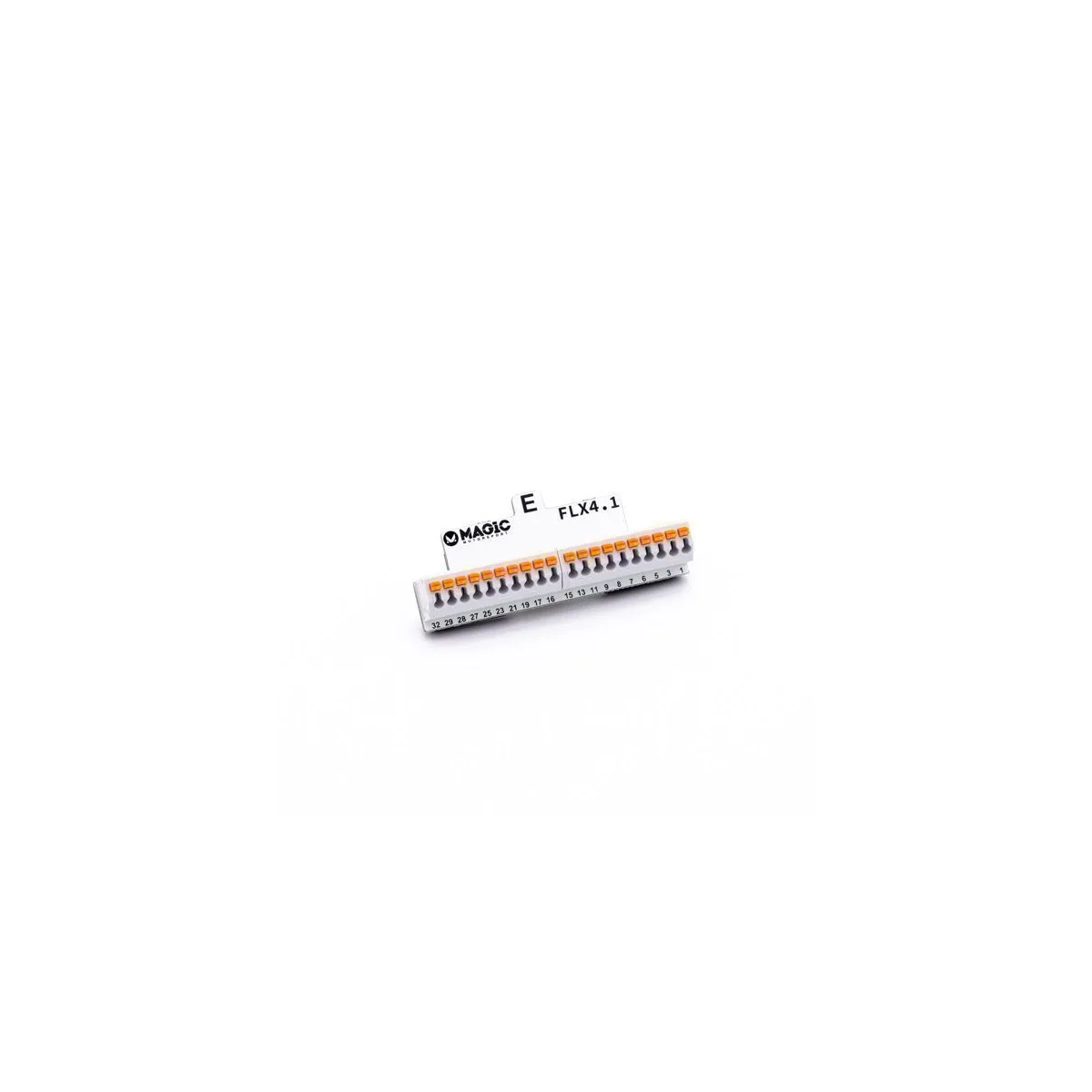
FlexBox port E 40-pin adapter
Solder-free connection to the pins of a unit on the bench, with the FLK35 colour-coded cable set. Since Flex 8.0 the MDG1 Boot Glitch also runs through this adapter.
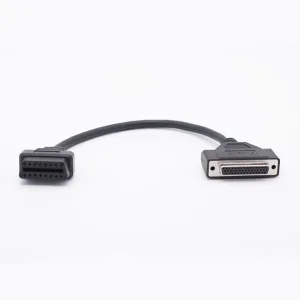
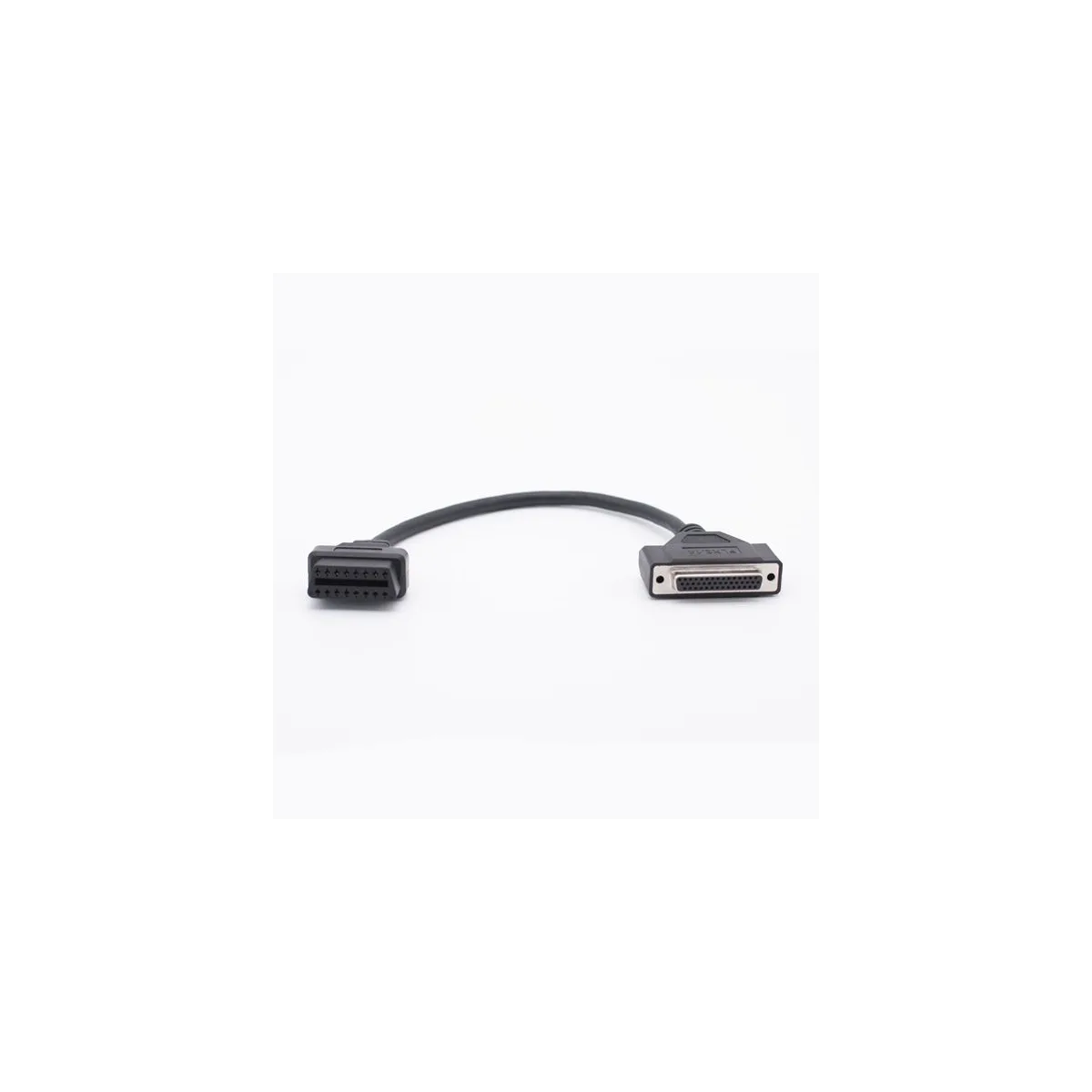
Female OBD cable for the Flexbox
Connects the unit's OBD port to the Flexbox through a 44-pin socket; one of four operating modes is chosen for bench programming and diagnostics. It is not the cable that goes to the vehicle.
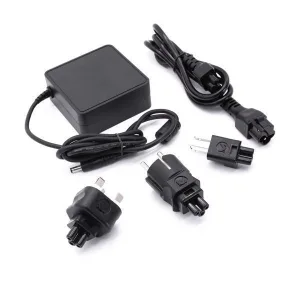
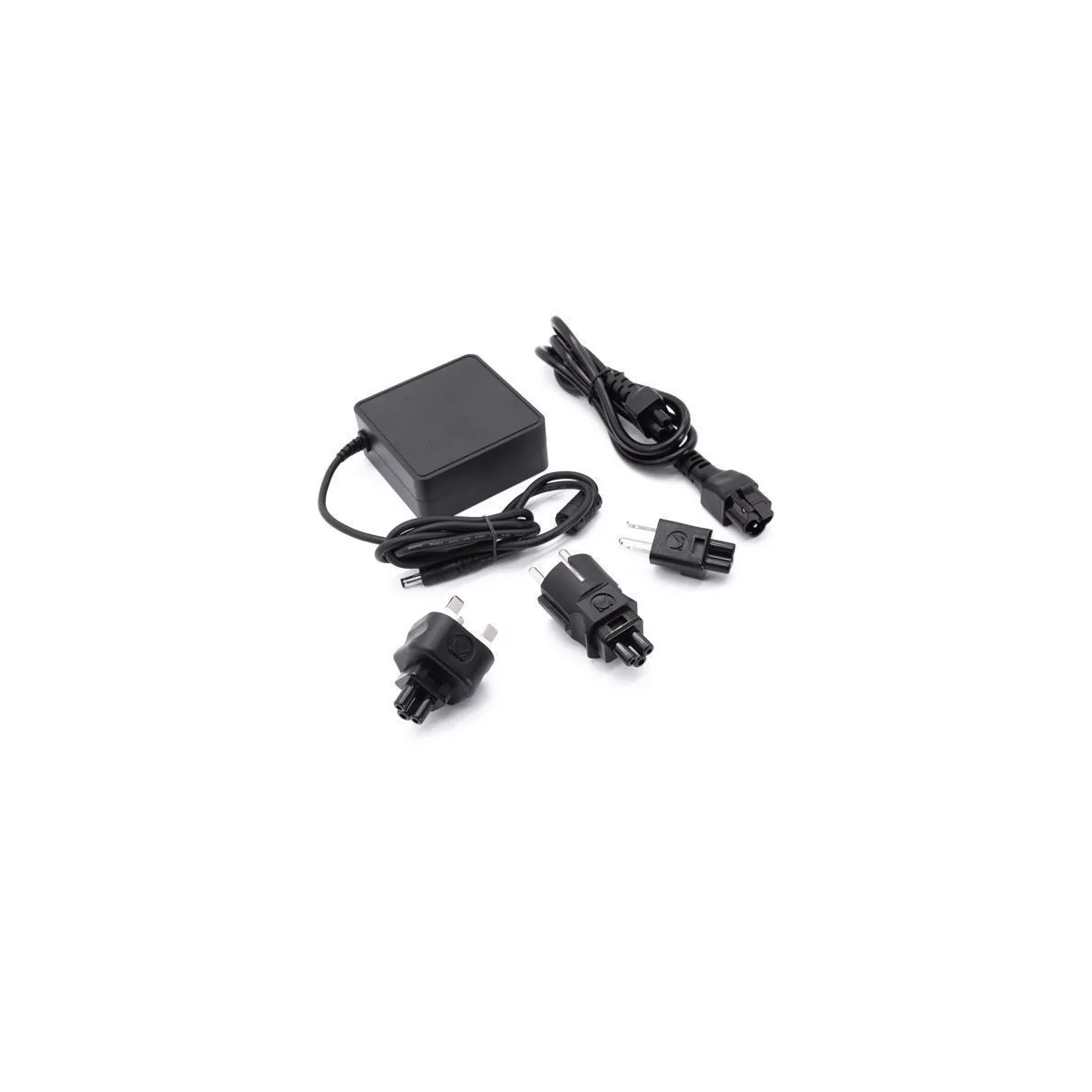
Power supply
Switch-mode power supply (FLX4.9), its cable (FLX4.9.1) and EU, UK and US plugs.
| Code | Part | Qty |
|---|---|---|
FLX1.1 | Flex main module — the programmer itself | 1 |
FLX1.9 | Flexbox module — power and connection layer for bench and boot | 1 |
FLX2.10 | Red OBD cable — to the vehicle over CAN and K-Line | 1 |
FLX2.11 | Green OBD cable — to vehicles that use ENet | 1 |
FLX2.14 | Female OBD cable for the Flexbox — selects one of the Flexbox's four modes through the unit's OBD port | 1 |
FLX3.3 | Bench cable — Flexbox port C to NEC 76F00xx units | 1 |
FLX3.4 | Bench cable — Flexbox port D to BDM MPC5xx units | 1 |
FLX3.9 | USB 2.0 cable, 1.8 m — computer connection | 1 |
FLX4.1 | FlexBox port E 40-pin adapter — for the FLK35 cable set | 1 |
FLX9.1 | Flex and Flexbox diagnostic adapter | 1 |
FLK35 | Colour-coded cable set — bench harness | 1 |
FLK42.V02 | Adapter kit — set of 10 pin adapters for FLK35 | 1 |
FLK49 | Switch-mode power supply, cable and plugs | 1 |
FLX8.10 | Flex branded box | 1 |
Why two OBD cables? FLX2.10 (red) talks over CAN and K-Line, and FLX2.11 (green) is for vehicles that use an ENet connection. The vehicle's communication setup decides which one you use; both come in the box at no extra cost.
Important: the hardware does nothing on its own. The software licence you buy decides which units Flex can open, so at least one licence has to be selected with the hardware.
| Feature | Value |
|---|---|
| Product code | FLK02.V02 |
| Manufacturer | MagicMotorsport — Magic Engineering S.r.l. (Italy) |
| Main module | Flex programmer FLX1.1 |
| Add-on module | Flexbox FLX1.9 |
| Access routes | OBD, bench, boot and Boot Glitch (Flex + FLX4.1; extended with Korhex) |
| Unit types | ECU (engine), TCU (gearbox); CPC and DCU on heavy vehicles |
| Vehicle groups | Cars, vans, bikes (FLS0.13), trucks, buses, construction and agricultural machines (FLS0.15) |
| Vehicle connection | OBD: FLX2.10 (CAN / K-Line) and FLX2.11 (ENet); FLX2.65 on heavy vehicles (separate) |
| Bench connection | FLX4.1 port E 40-pin adapter + FLK35 cable set + FLK42.V02 pin adapters |
| Computer connection | USB 2.0 |
| Software | Web-based; Windows 10 and later |
| Licences | 14 packages, each as Master and Slave (28 options) |
| File format (Master) | Plain .bin, opens in any editing software |
| Datalogger | Up to 60,000 real-time parameters; Datalogger Plus (FLS0.11) 50 Hz, 50–2,000 sensors depending on the vehicle |
| File protection | Magic Lock |
| Updates | 365 days included with a software package, annual renewal after that |
| Warranty | Limited lifetime with an active subscription; otherwise 24 months |
Flex coverage is unit-based: if a given engine unit of a brand is supported, the models carrying it are covered. From cars to motorcycles and from trucks to tractors, it works with the common engine and gearbox units of European, Asian and American makers:
It is always best to confirm support for a specific vehicle or unit before buying. Send the make, model, engine and, if possible, the unit number, and we will check the manufacturer's current vehicle list and get back to you.
Because Flex licences and the subscription run through the account with the manufacturer, the state of that account matters as much as the tool itself when buying second-hand. The manufacturer's terms are clear on this:
Before paying, send the serial number to the manufacturer and have them confirm the account status, the open licences and the subscription expiry date. We are happy to do this check with you.
The Flex software does not work until the tool has been activated with its serial number on an account with the manufacturer, and licences cannot be activated without a genuine Flex. The most reliable check is therefore to have the serial number confirmed by the manufacturer before buying. A tool with an opened warranty seal is not covered, and the manufacturer reserves the right to close accounts where software or licence codes are shared without permission. If you come across tools sold as "Flex" at very different prices, the difference usually lies in the account and the licences rather than the hardware.
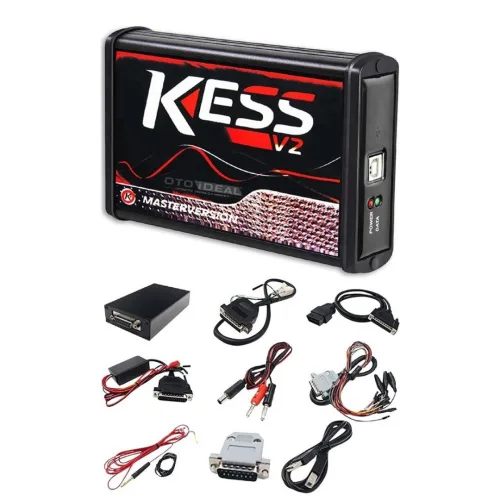
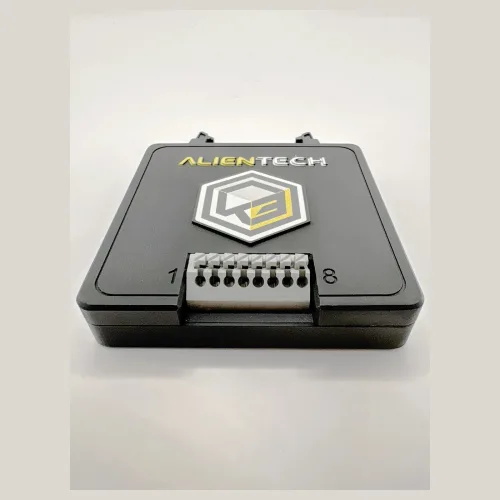
Two things are compared when choosing an ECU programmer: coverage and the way it works. Because Flex licences are sold separately, the budget can follow the need; anyone wanting the whole range buys it at once with the Full package. The AutoTuner ECU programming and chip tuning tool in our catalogue differs with its single-package structure and its update model without a subscription, while the Alientech KESS3 works with protocol packages and an annual subscription. All three come as Master and Slave.
When comparing, ask three questions: which processor families do you work on, do you prepare files yourself, and what are you willing to pay for updates a year from now. You can also browse all ECU programming tools.
Legal note: Flex is service equipment for professional use. Work that interferes with emission control equipment is subject to the regulations in force for road vehicles, and the user is responsible for its use. The tool is equally used for racing and track use, unit repair and software recovery.
All ECU Programming → All MagicMotorsport Products: Flex, Korhex and Licences →
MagicMotorsport Flex is a professional programmer that reads and writes the software of engine control units (ECU) and automatic transmission control units (TCU). It is made in Italy by Magic Engineering S.r.l. and reaches the control unit in three ways: through the vehicle's OBD socket, on the bench with the unit removed and powered on the desk, and in boot mode with the processor started in its bootloader.
The MagicMotorsport Flex ECU and TCU Programmer performs 8 service functions, including: Chip Tuning, ECU Repair, Cloning and Replacement, Gearbox Software, Checksum Correction, Datalogger, Magic Lock, Full Backup.
The full list is in the service functions section of the product description.
Mercedes-Benz, BMW / Mini, Volkswagen, Audi, Seat, Škoda, Porsche, Ford, Opel, Peugeot, Citroën, Fiat, Alfa Romeo, Jeep, Renault, Dacia, Volvo, Land Rover, Jaguar, Toyota, Honda, Nissan, Mazda, Hyundai, Kia, Ducati, KTM, Husqvarna, BMW Motorrad, Triumph, Mercedes-Benz Truck / Bus, Iveco, DAF, Freightliner, Kenworth, JCB, Kubota, Cummins
If you are unsure whether your own vehicle is covered, ask us before ordering.
The price depends on the hardware and the licence you choose: between $1,717 and $8,570 including VAT. It follows the MagicMotorsport list price and the exchange rate.
The licence selector on the product page shows each package and the resulting total.
Yes. The MagicMotorsport Flex ECU and TCU Programmer ships as a genuine product, with an invoice and a warranty.
Remote technical support is provided for installation and first use. Ask us about software updates and licence periods before ordering.
Shipping is free on orders over 3,000 TL. Stock status: 2-3 Gün.
Ask us about delivery times and the courier before you order.
Master gives you the file read from the unit as a plain .bin; you prepare the file yourself, receive 300 Green Coins a month and get technical support directly from the manufacturer. Slave is cheaper, but the file it reads is encrypted and the Master you are linked to prepares it. A Slave is linked to its Master at activation, using the Master's e-mail address or Flex serial number.
Yes. You pay the price difference between your Slave package and the matching Master package; the hardware stays the same. The manufacturer first needs written release from your current Master, given by e-mail or a sales ticket quoting the Slave's serial number.
Yes, the tool is not locked. The subscription that comes with a software package lasts 365 days from activation; afterwards you keep working with the software you have received, and bug fixes for the protocols you own keep coming. New protocols and new functions arrive when you renew. A late renewal is backdated to the day after expiry.
First a MagicMotorsport Magic Center account is opened and the tool is activated with its serial number; a Slave enters its Master at this step. Then the manufacturer's Flex installer is set up on a Windows 10 or later computer, with the drivers installed as a separate step. We do the account, activation and installation with you over a remote connection.
Not always. Since Flex 8.0 (29 June 2026), Flex performs Boot Glitch by itself on most Bosch MDG1 units with TC2xx processors, using the FLX4.1 adapter from the kit. Korhex is needed for families that method does not reach, such as SPC5777, SPC58 / SPC58N, MPC5566 and some TC29x units. Both need the FLS0.20 Boot Glitch licence or the Full package.
Yes, with the Heavy Duty licence (FLS0.15): Bosch, Cummins, Denso, TRW and Continental ECUs, TCUs, CPCs and DCUs on trucks, buses, construction and agricultural machines, over OBD, bench and boot. On trucks and buses the OBD connection needs the FLX2.65 cable, which is not in the standard kit. Kubota tractors are covered by the Renesas licence (FLS0.6).
Yes, but the account does not transfer: the seller notifies the manufacturer, the buyer opens their own account and the licences stay with the tool's current configuration. A Slave stays linked to its old Master unless the Master releases it in writing, and a tool that has changed owner has 24 months of warranty. Before paying, send the serial number to the manufacturer to confirm the account status, open licences and subscription expiry.
For Flex tools with an active subscription the manufacturer gives a limited lifetime warranty: if a FLX1.1 or FLX1.9 fault is confirmed through a repair ticket, a new module is supplied and only the shipping is paid. The right applies to the original owner while the account is active; if the subscription stays expired for more than 7 days, or the tool changes owner, the warranty is 24 months from purchase. Cables, connectors and accessories are not covered.
Free shipping Ships within 2-3 days
Free shipping
Free shipping Ships within 2-3 days
Free shipping Ships within 2-3 days
Free shipping Ships within 2-3 days
No shipping — remote installation
Free shipping
Free shipping Ships within 2-3 days
Free shipping Ships within 2-3 days
Free shipping Ships within 2-3 days
Free shipping Ships within 2-3 days
Free shipping Ships within 2-3 days
Free shipping Ships within 2-3 days
The EVPT VCU3000 on Stellantis' small electric vehicles could only be opened by bench or boot, and both start by removing the unit. With Fle...
Read More
The prices Abrites publishes, organised on one page: the AVDI Plus interface, full brand packages, individual licences, cable kits and the a...
Read More
Autel MX808S for safe used car purchase. Mileage verification, ECU analysis, 80+ brand support. ✓ Android 11 ✓ 7-inch screen ✓ Free shipping...
Read More
The Renault physical token is the key to online programming, coding and adaptation on Renault and Dacia vehicles. Here is how it works and w...
Read MoreDouble-tap to zoom
Strictly necessary cookies keep the site working. With your permission we also keep visit statistics; you are not identified. Details